ShiftFlowr / DuPont / Setup guide

Step-by-step guide

Setting up a fixed DuPont schedule — every supplied screen, in order.

DuPont runs a 28-day cycle: four shifts on, three off, three on, one off, three on, three off, four on, then a full week off — worked here as one fixed shift type. 19 real screenshots: choose the fixed variant, set the shift type and anchor date, preview the cycle, then apply it to six calendar months.

Free on Android · Early access
Before you start

Follow the fixed DuPont flow one decision at a time

This walkthrough separates setup, preview, and applied-calendar states. Each yellow boundary marks the action or result to check. This guide covers setup, preview, and the applied calendar through December. Saved-pattern management is covered in the app itself.

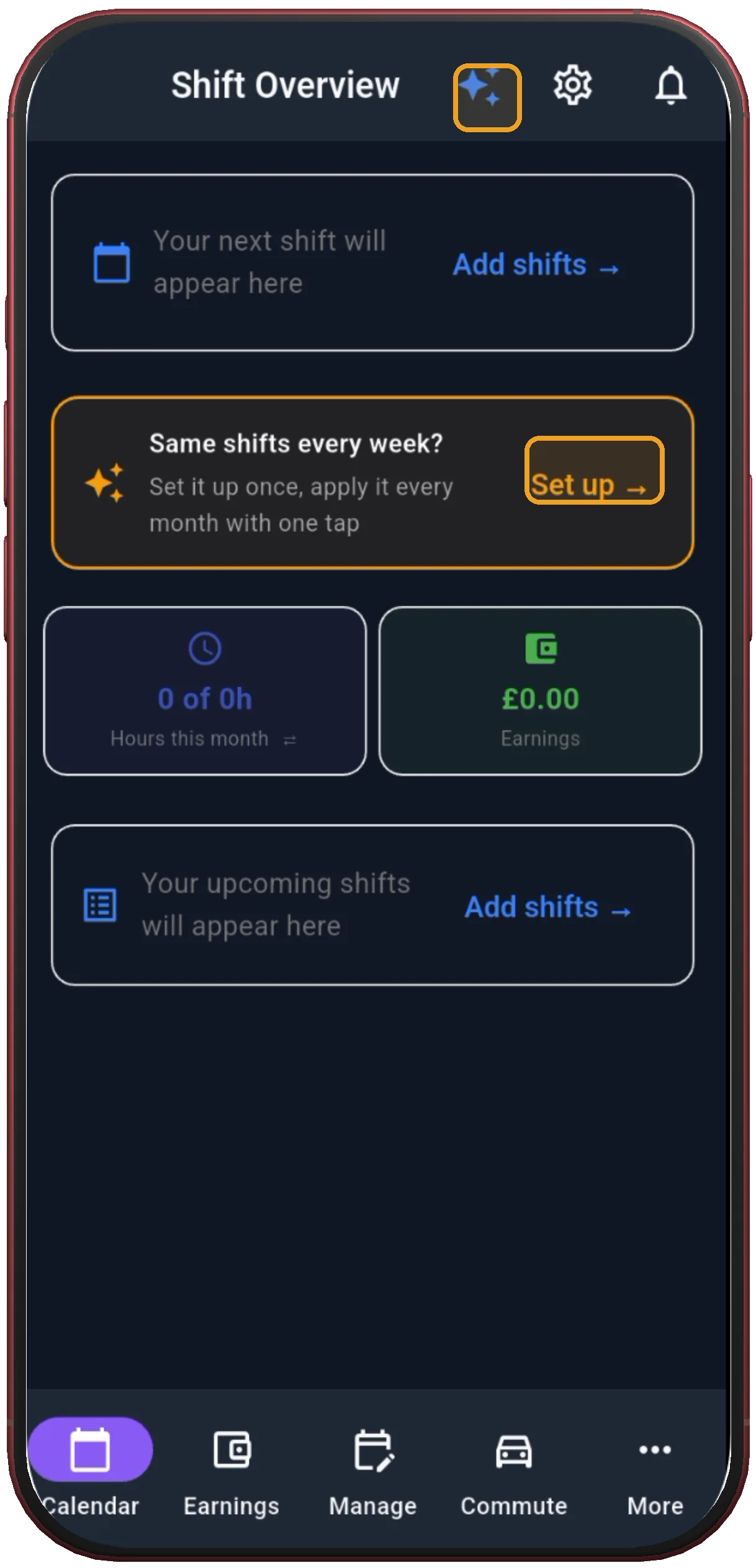
Shift Overview with Set up
1

Tap Set up

Shift Overview is the entry point for building a repeating shift pattern.

Next step ↓
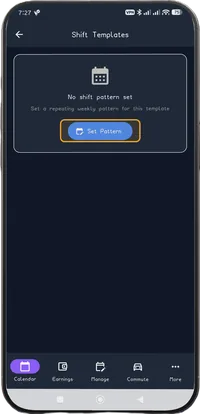
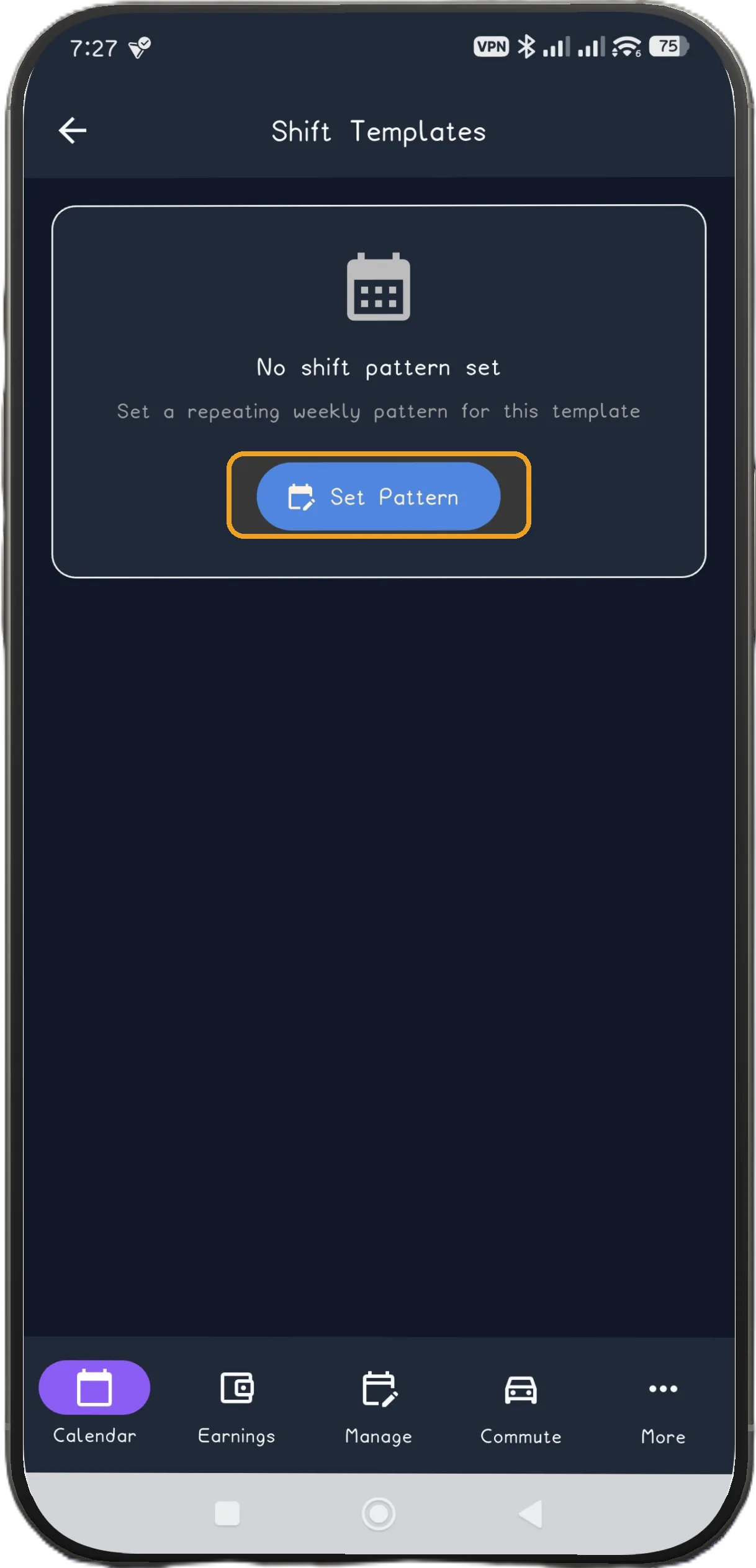
Shift Templates with Set Pattern
2

Tap Set Pattern

Open the pattern library from Shift Templates.

Next step ↓
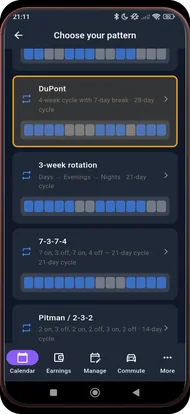
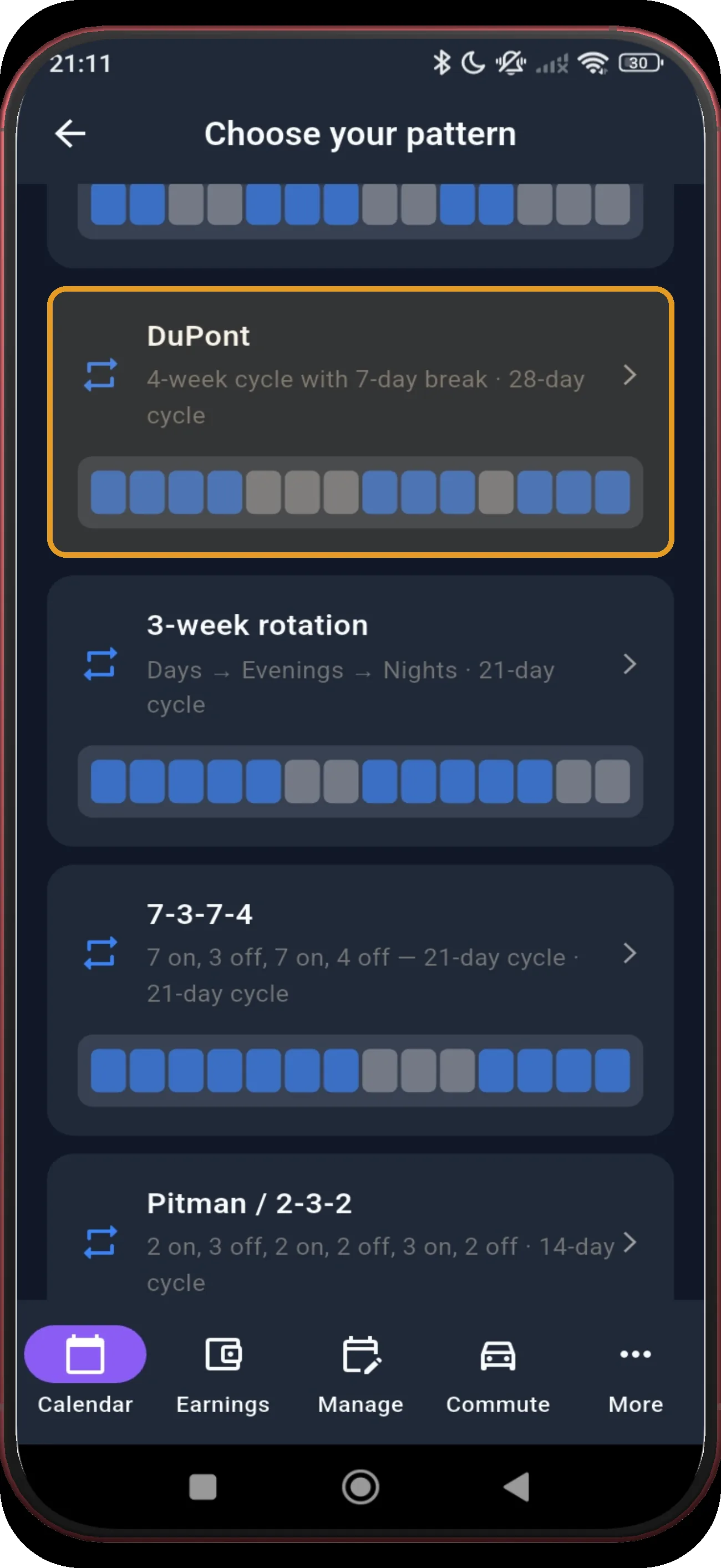
Pattern library with DuPont highlighted
3

Choose DuPont

DuPont appears in the pattern library; this guide uses the fixed schedule variant.

Next step ↓
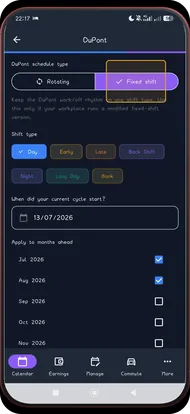
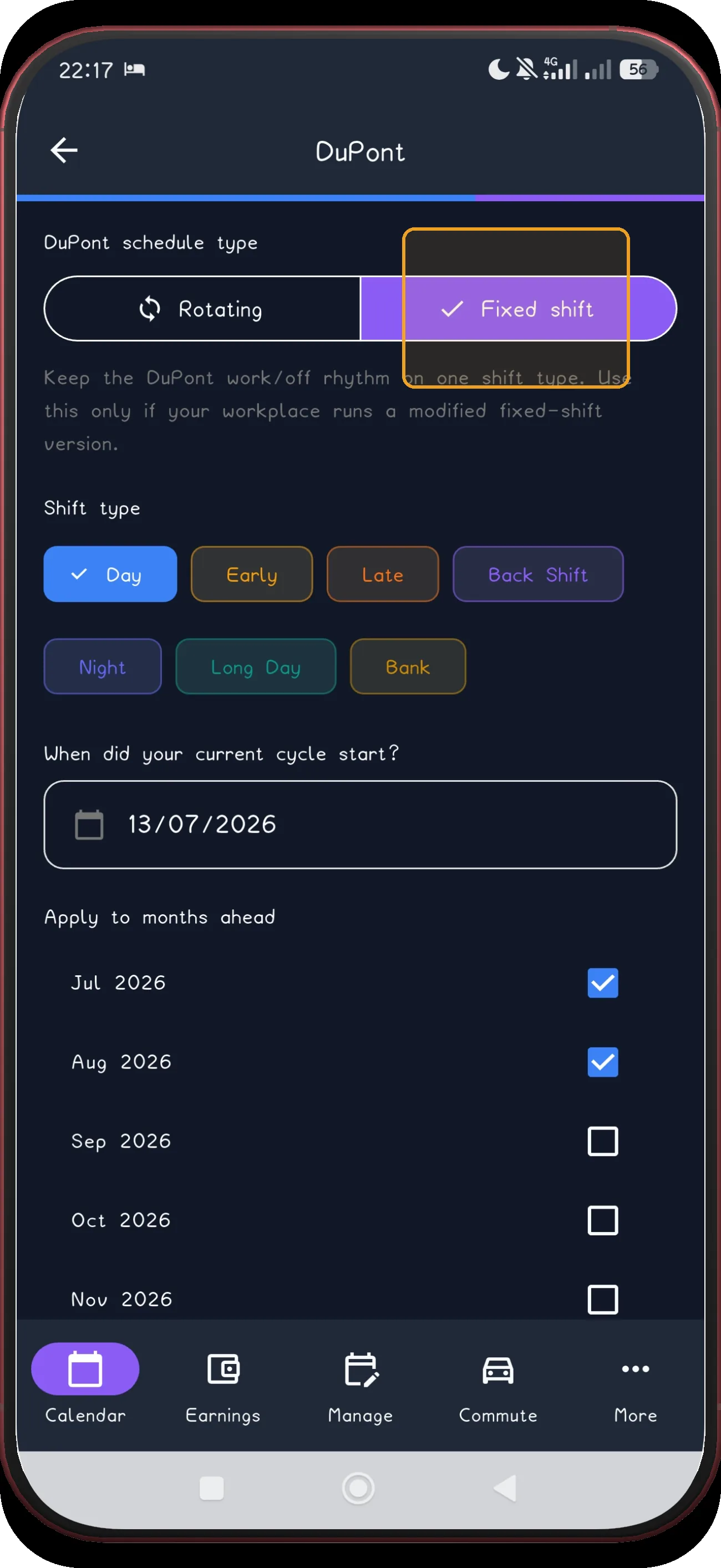
Fixed DuPont screen 4
4

Choose Fixed shift

Fixed runs the 28-day cycle as one shift type instead of rotating between several.

Next step ↓
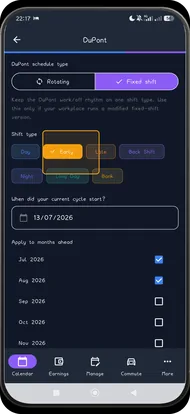
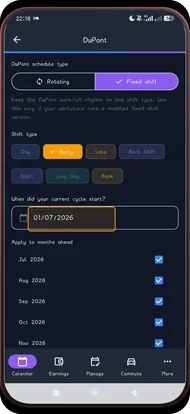
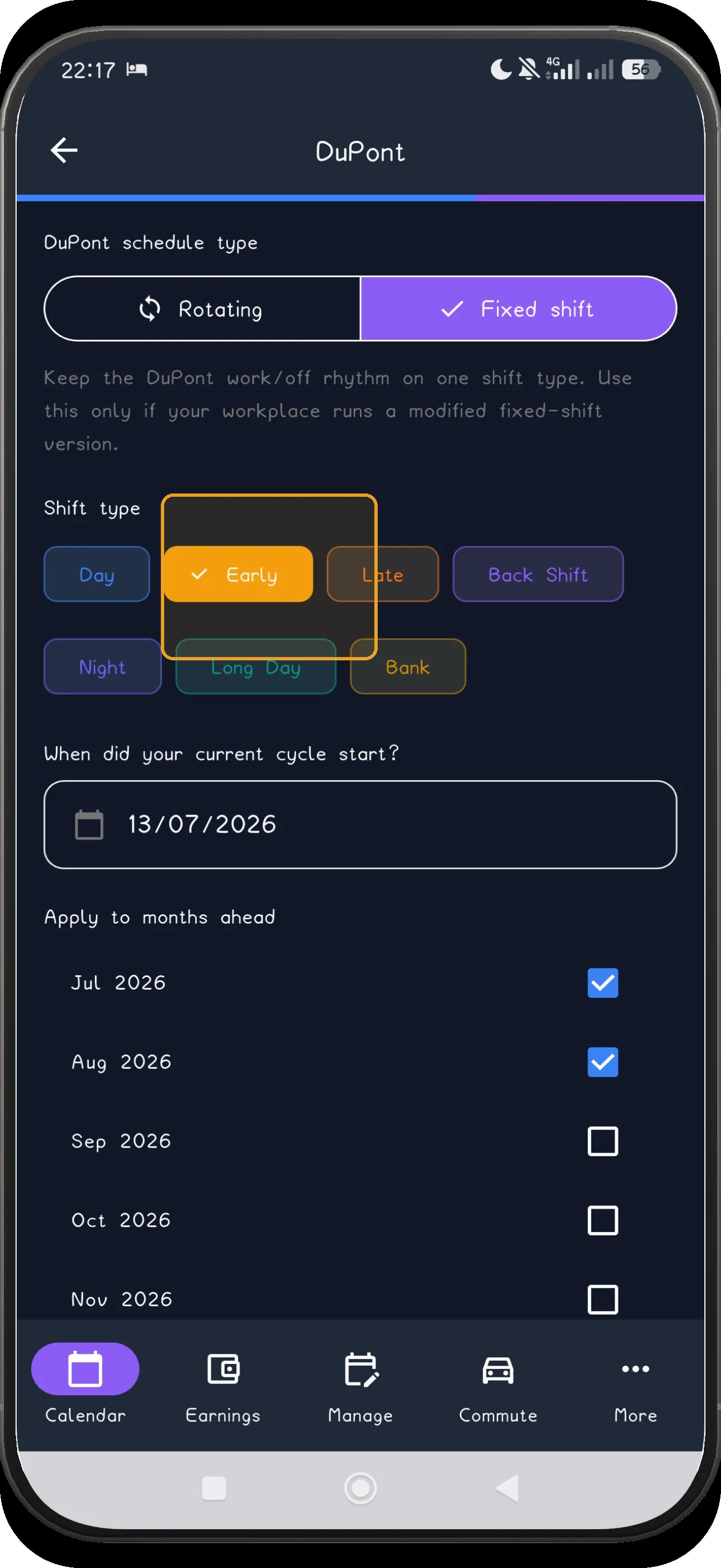
Fixed DuPont screen 5
5

Choose the shift type

This example continues with Early; match the type to your own schedule.

Next step ↓
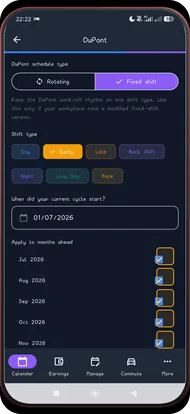
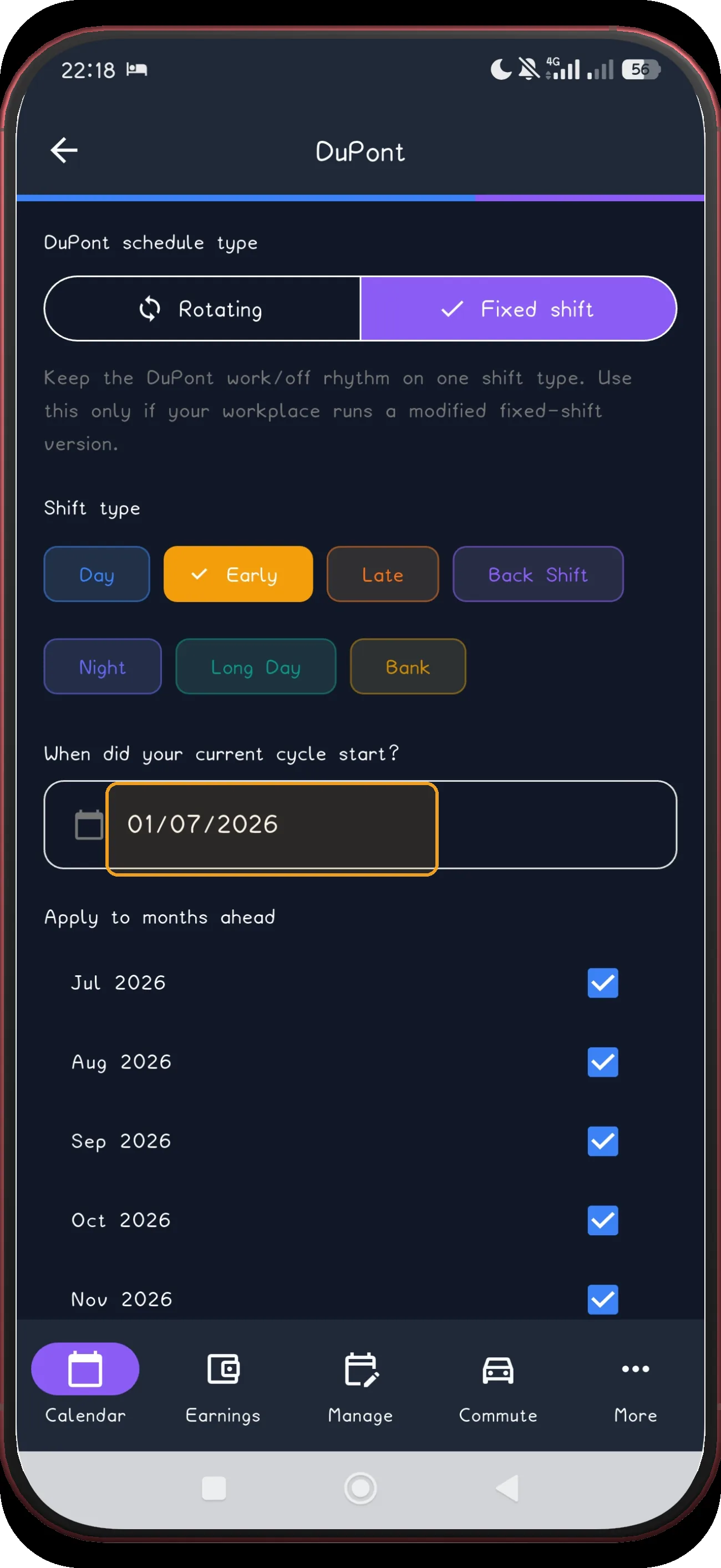
Fixed DuPont screen 6
6

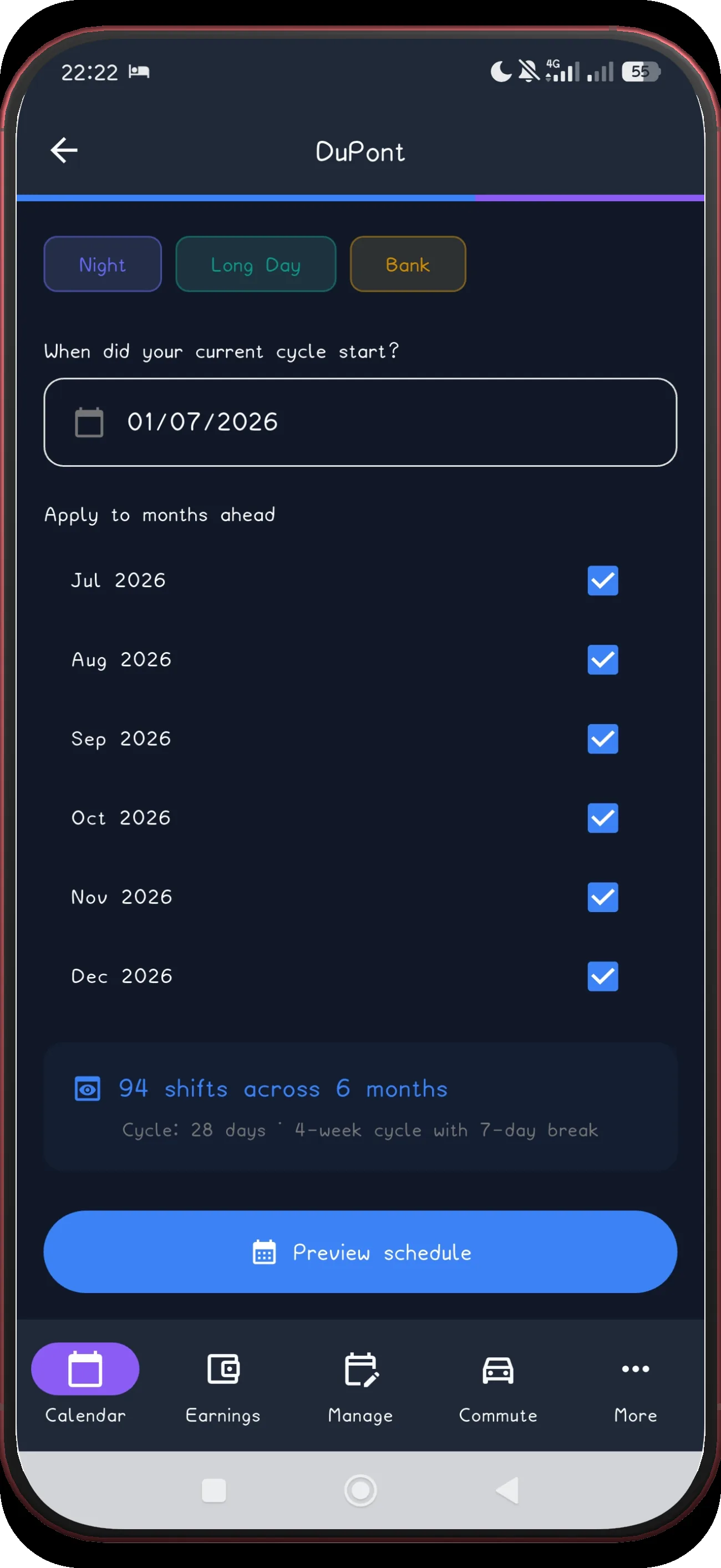
Set the anchor date

The anchor is the date on which the current DuPont cycle begins. The captured cycle begins on Wednesday 1 July 2026.

Next step ↓
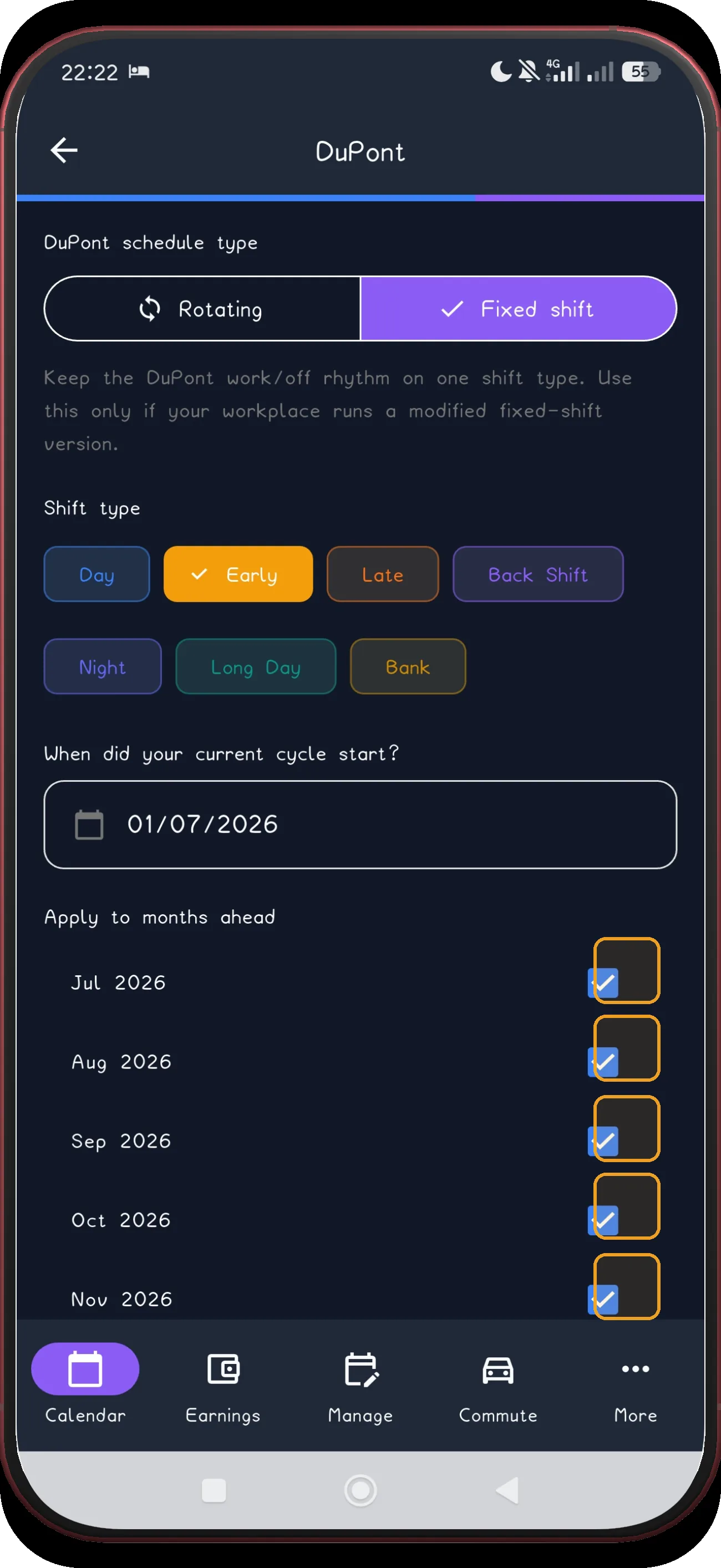
Fixed DuPont screen 7
7

Select the months

Select every future month that should receive the pattern.

Next step ↓
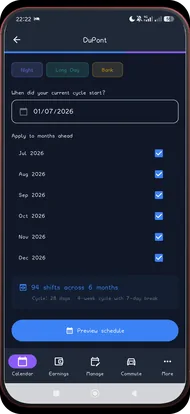
Fixed DuPont screen 8
8

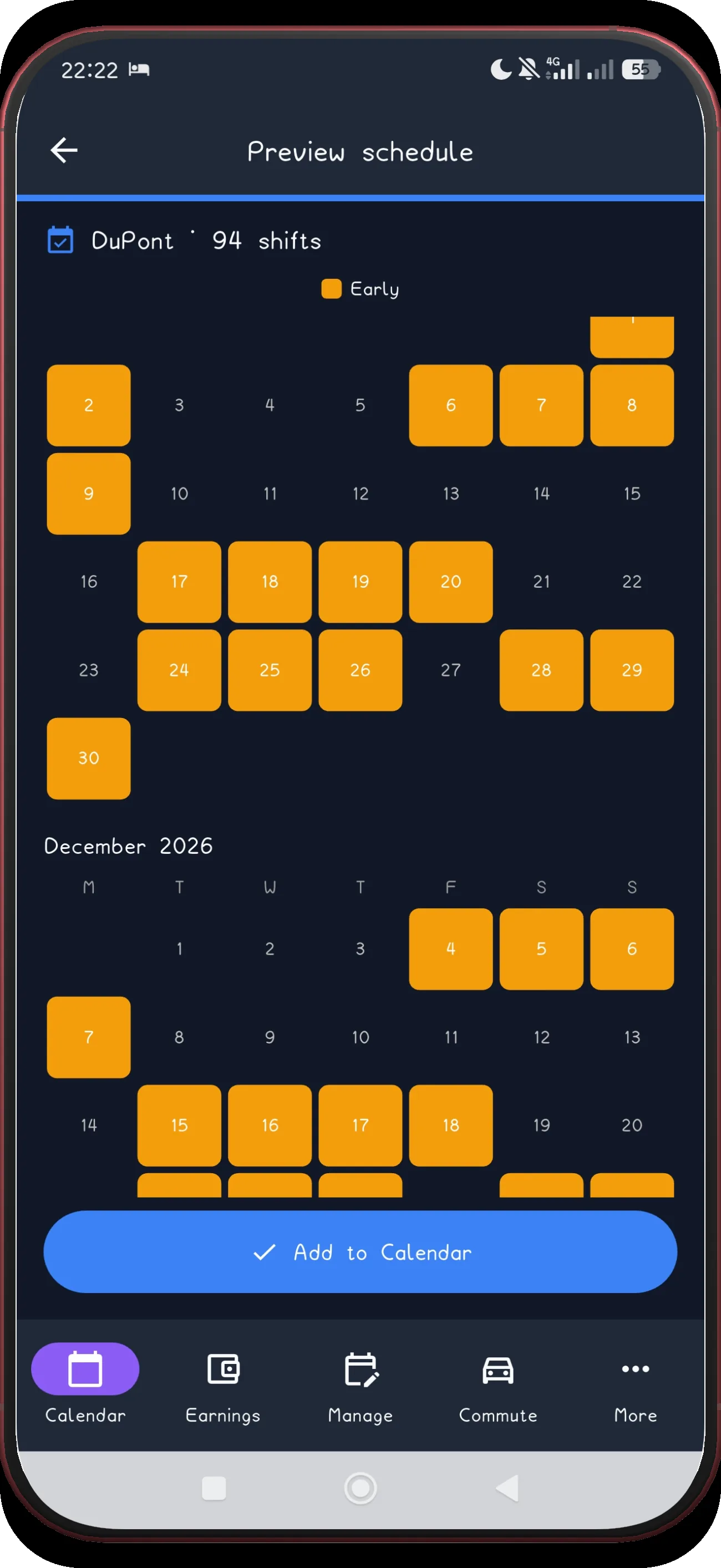
Preview the schedule

When setup is complete, preview the generated schedule.

Next step ↓
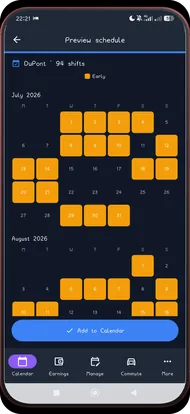
Fixed DuPont screen 9
9

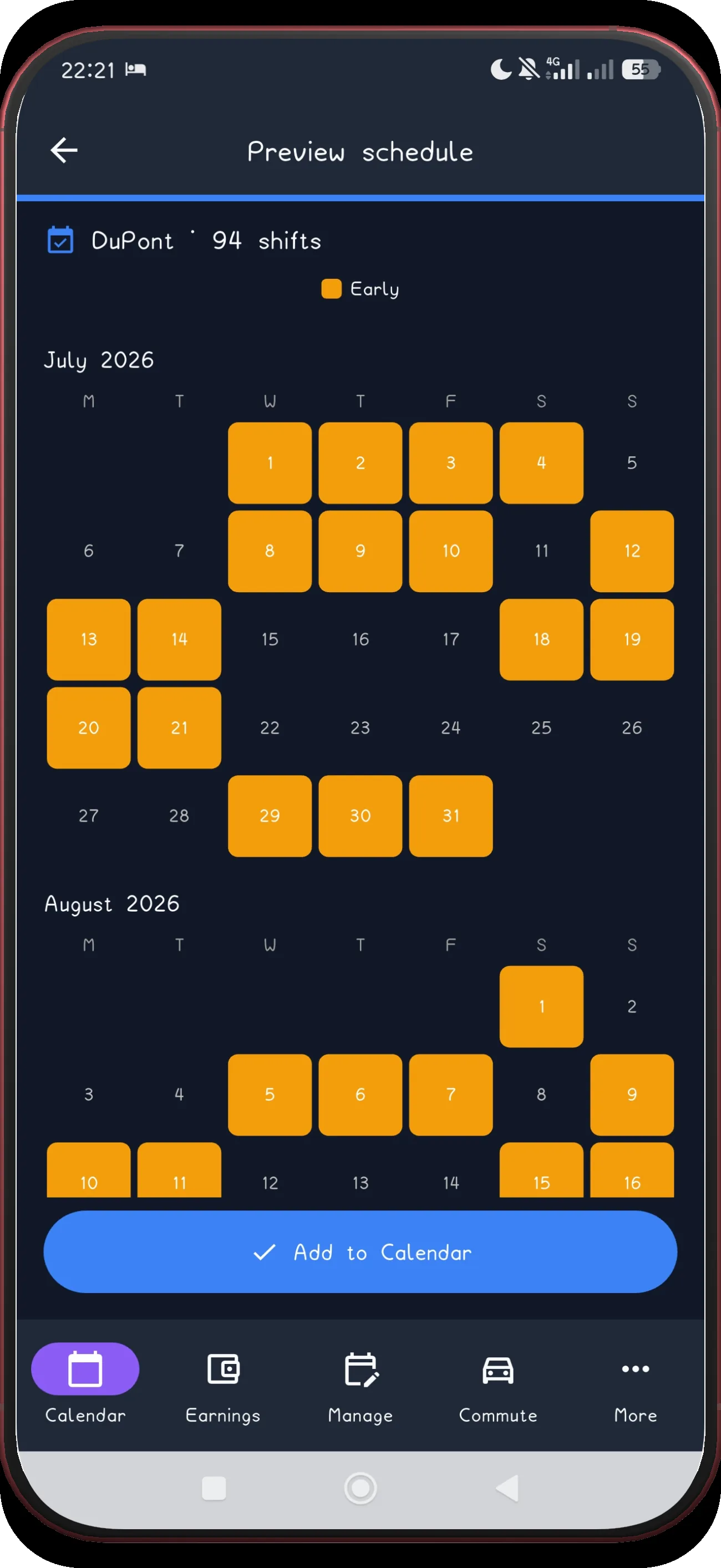
Review July and August

Review the first preview pair before applying anything.

Next step ↓
Fixed DuPont screen 10
10

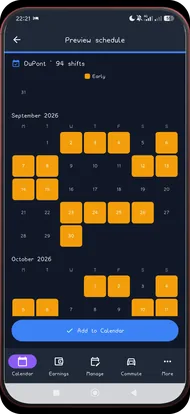
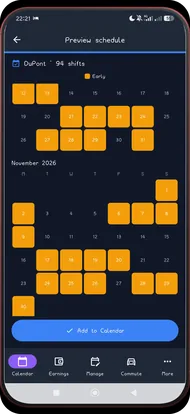
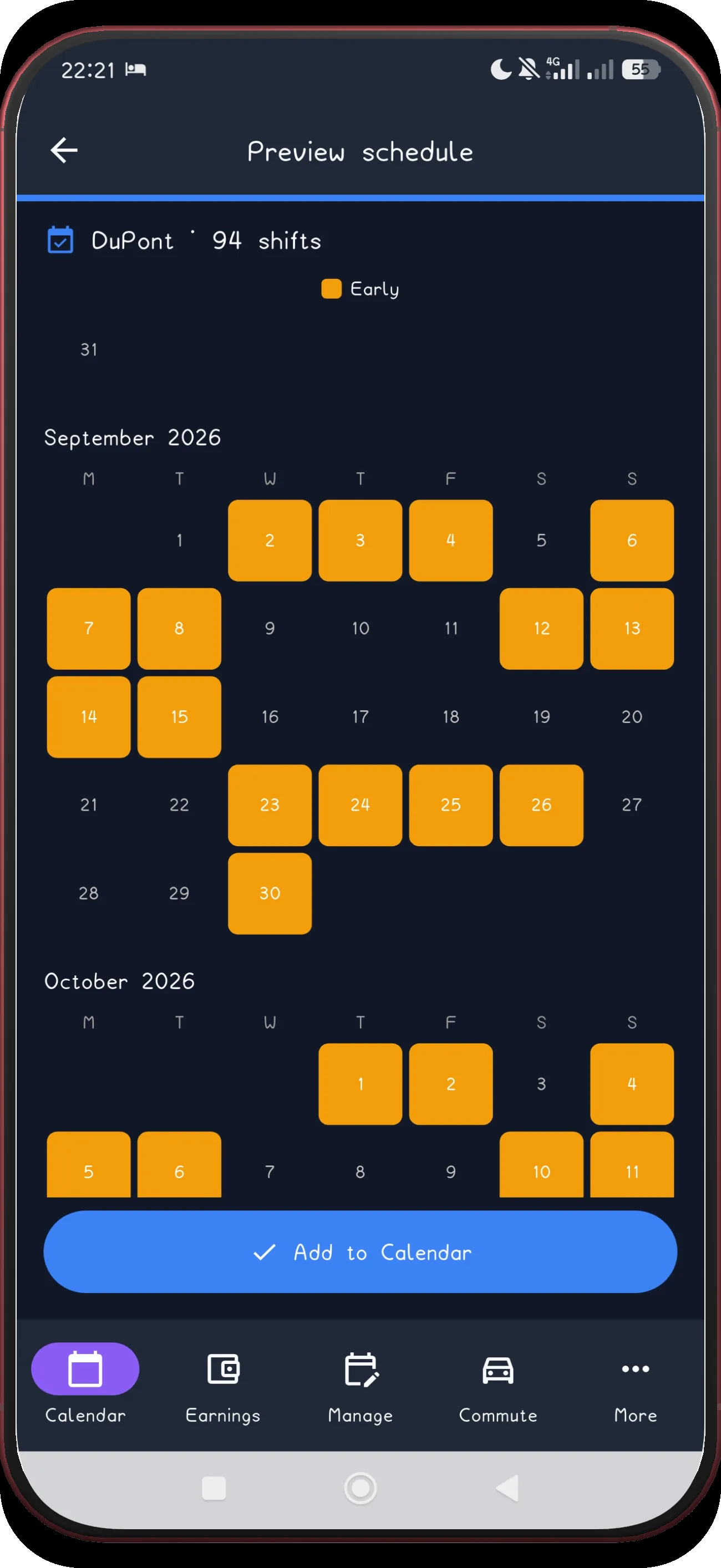
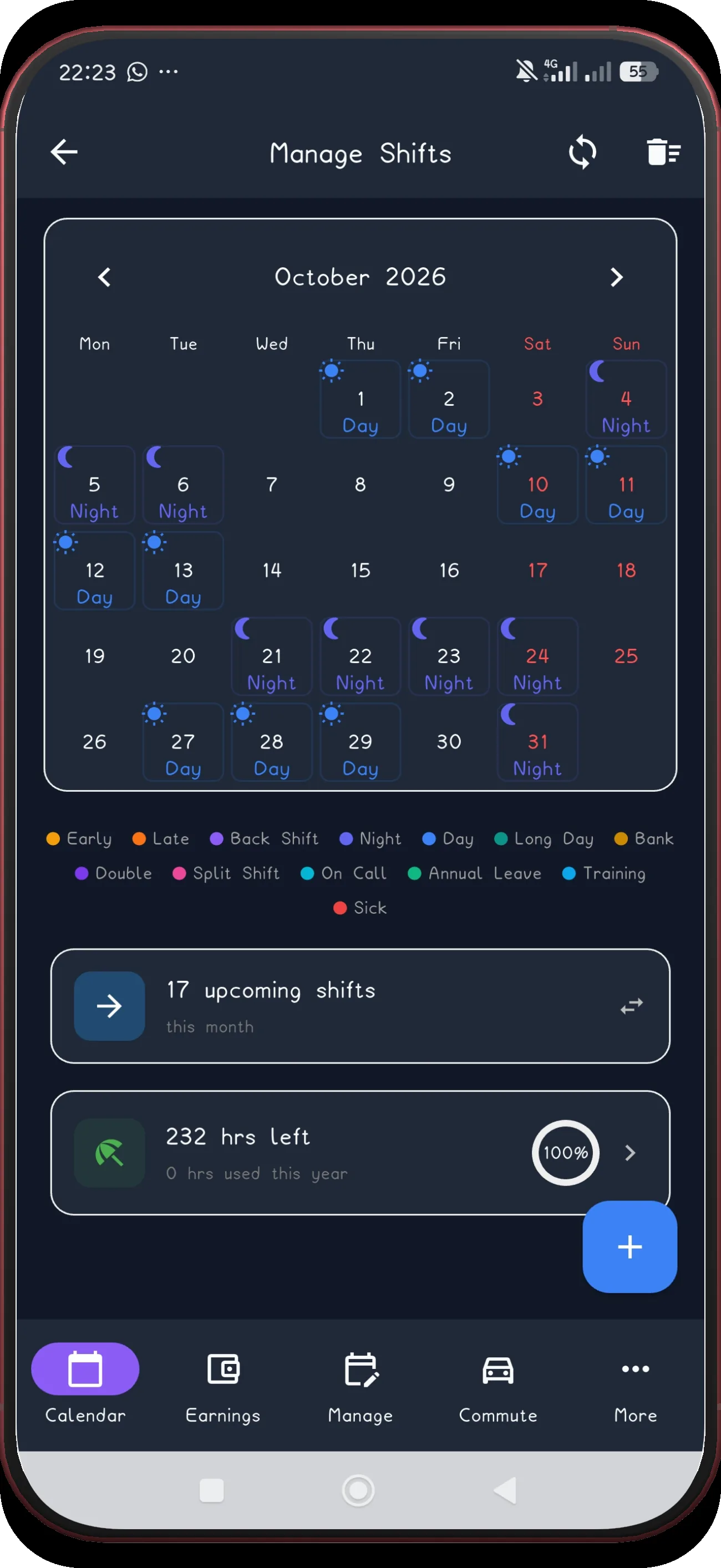
Review September and October

The 28-day rotation holds in the next pair.

Next step ↓
Fixed DuPont screen 11
11

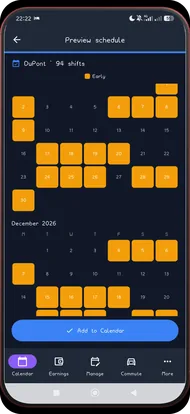
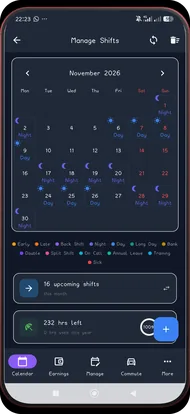
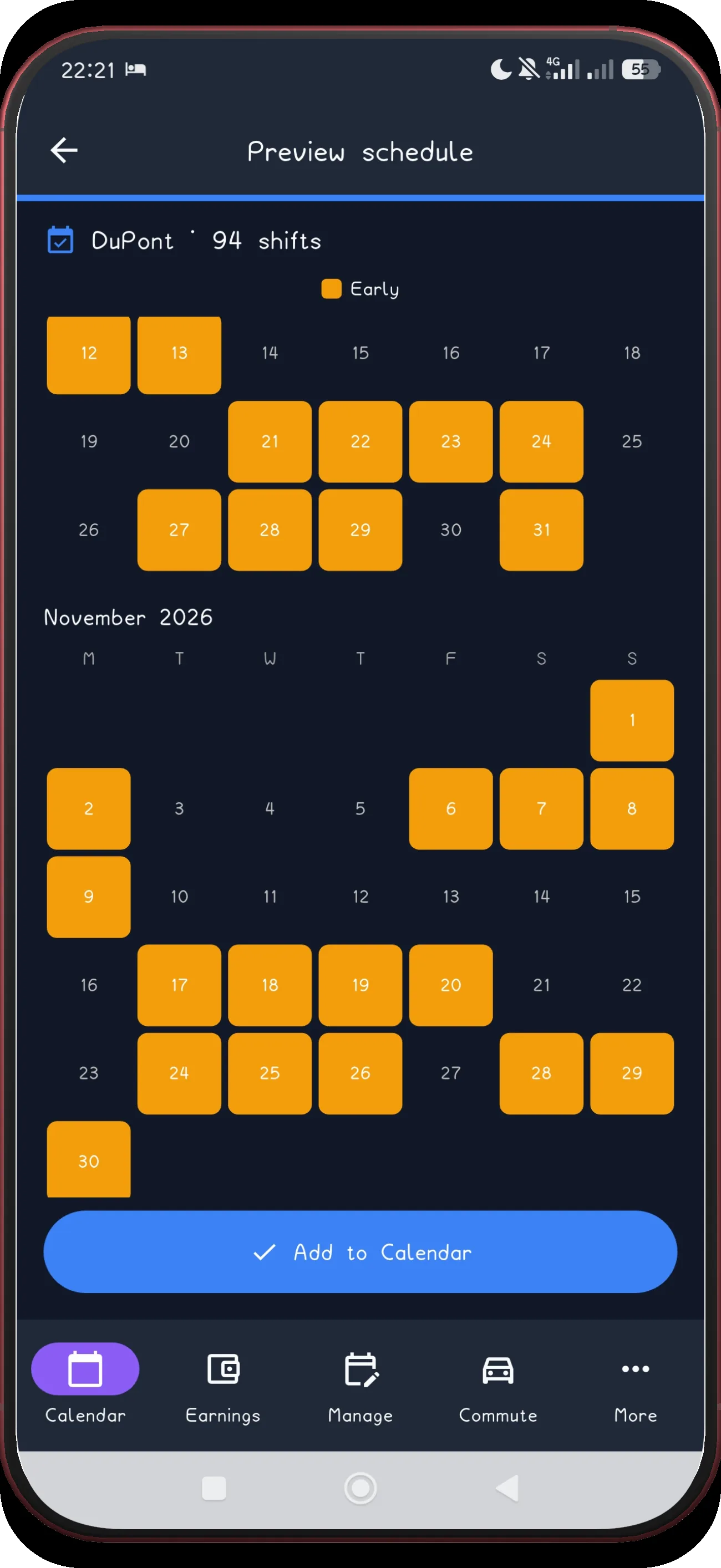
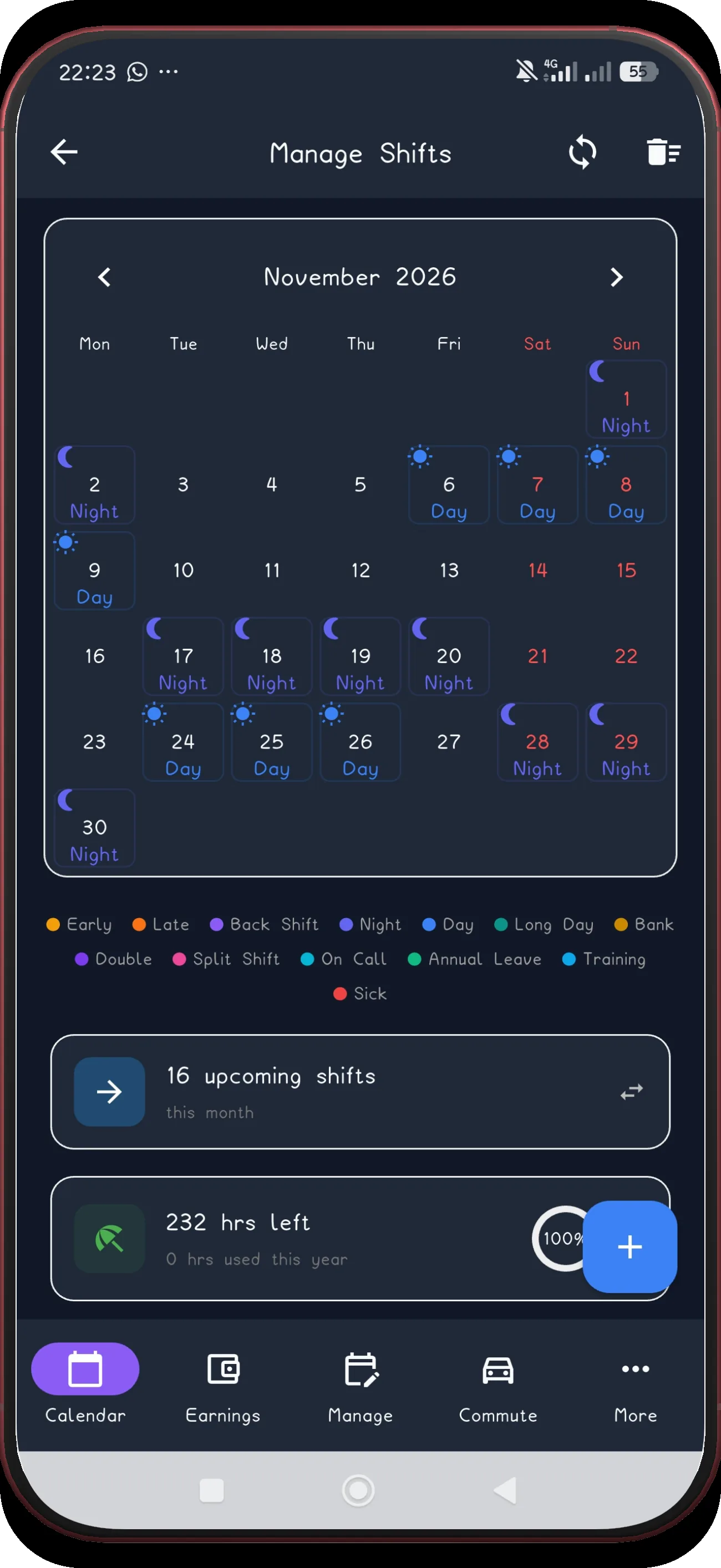
Review November

Check the November portion of the generated schedule.

Next step ↓
Fixed DuPont screen 12
12

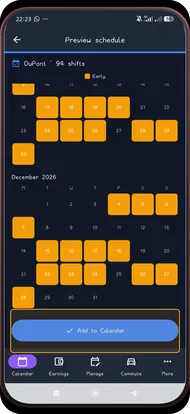
Review December

Check the December portion of the generated schedule.

Next step ↓
Fixed DuPont screen 16
13

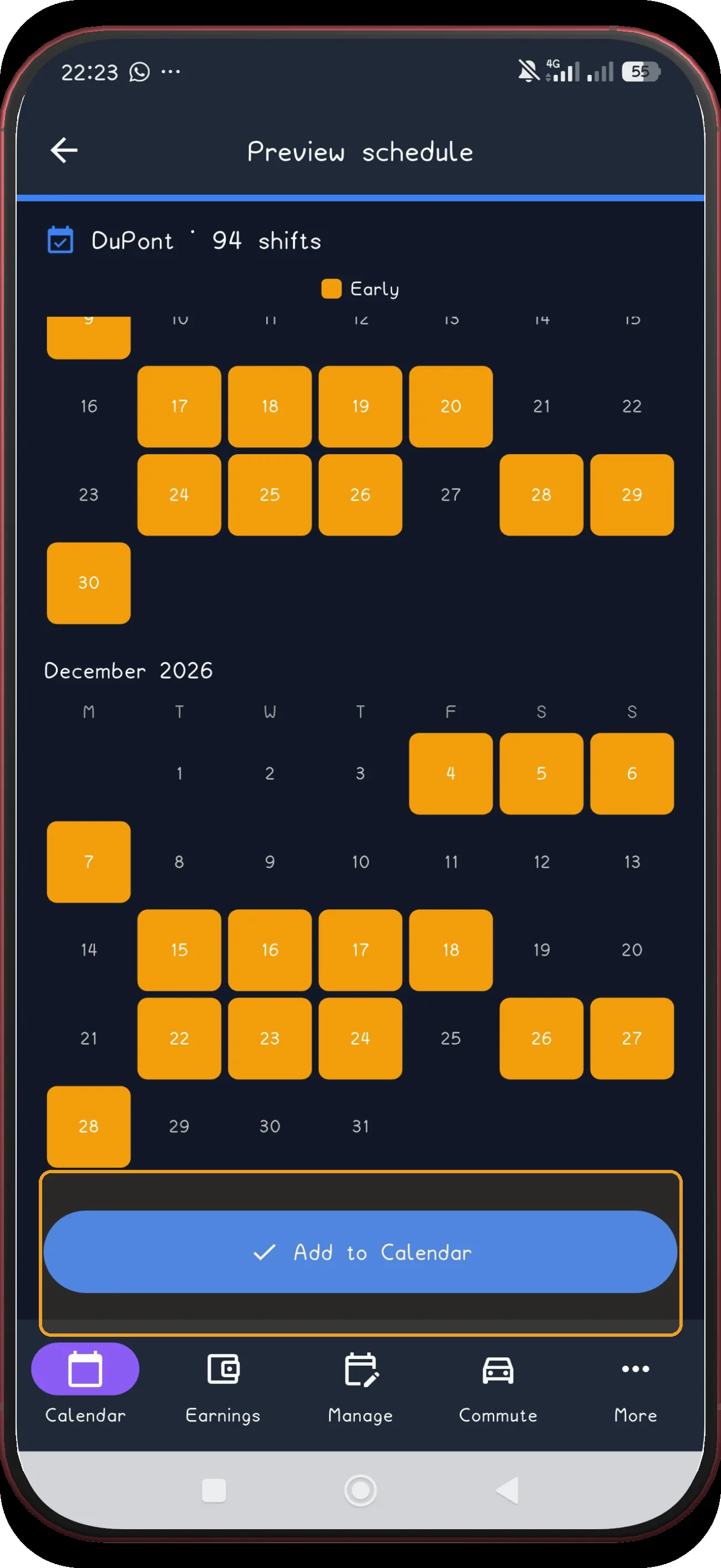
Add the schedule

Use Add to Calendar only after the preview matches your real schedule.

Next step ↓
Fixed DuPont screen 17
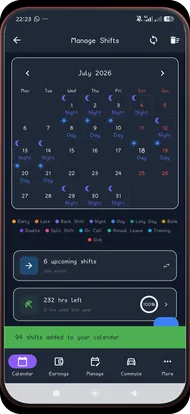
14

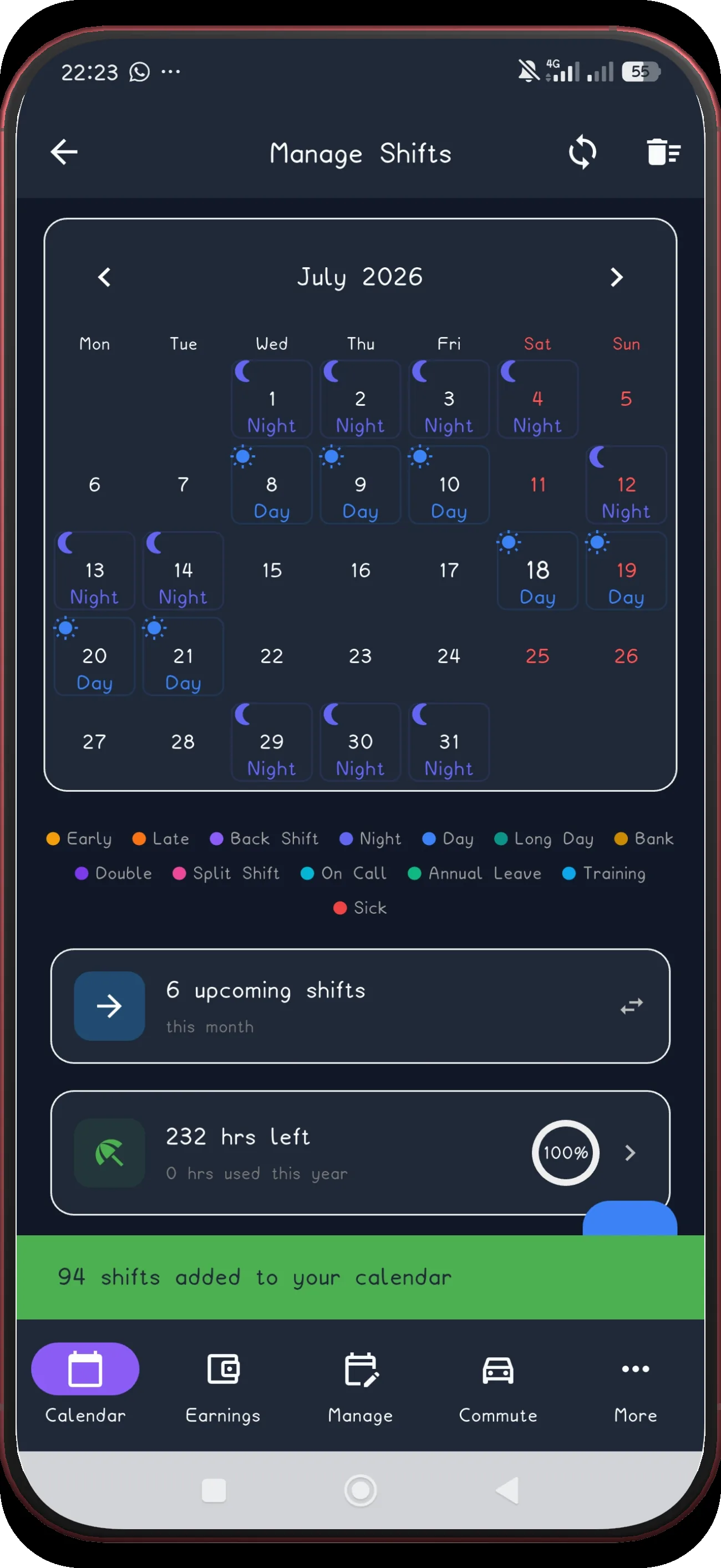
Check July

The first applied month now appears in Manage Shifts.

Next step ↓
Fixed DuPont screen 18
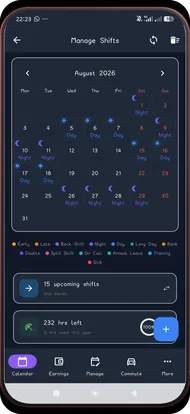
15

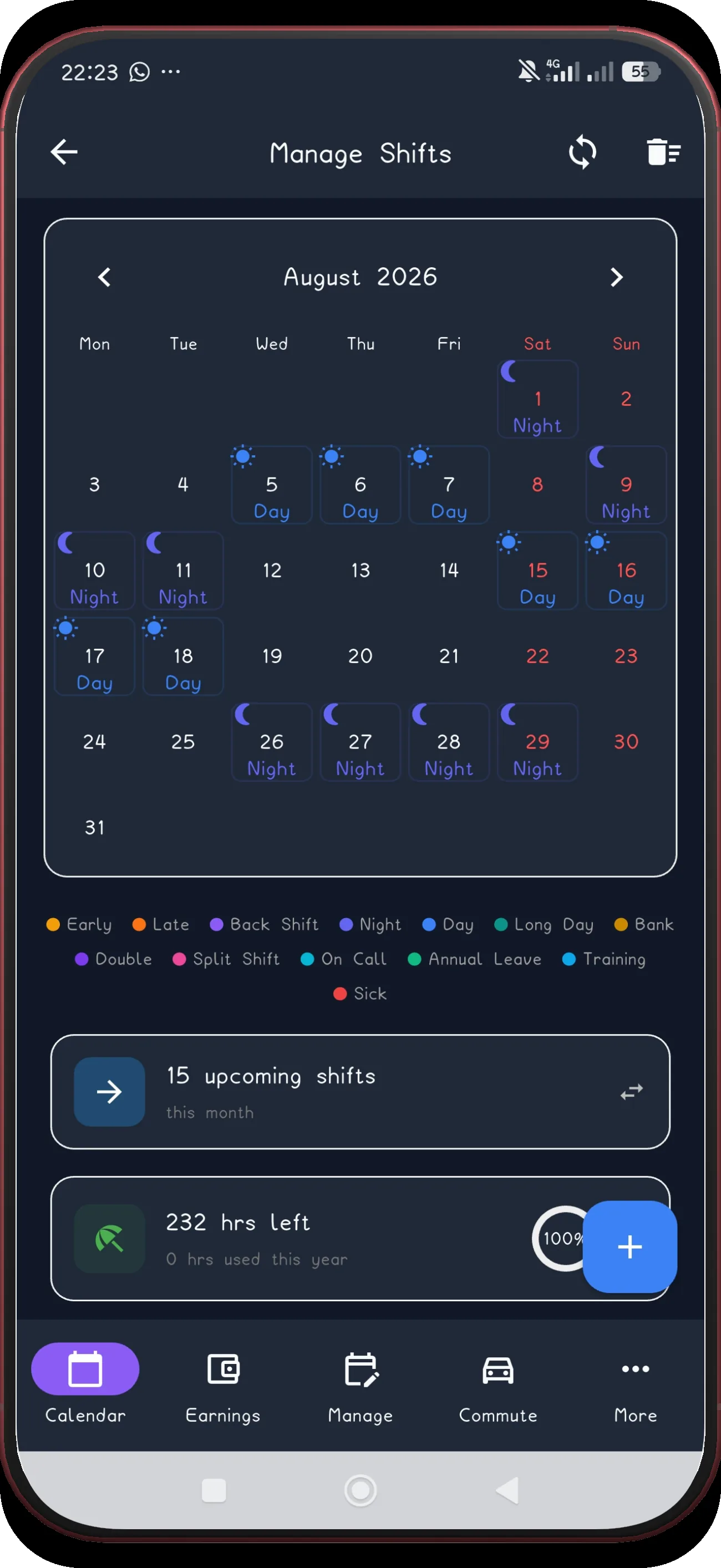
Check August

Move forward and confirm the next applied month.

Next step ↓
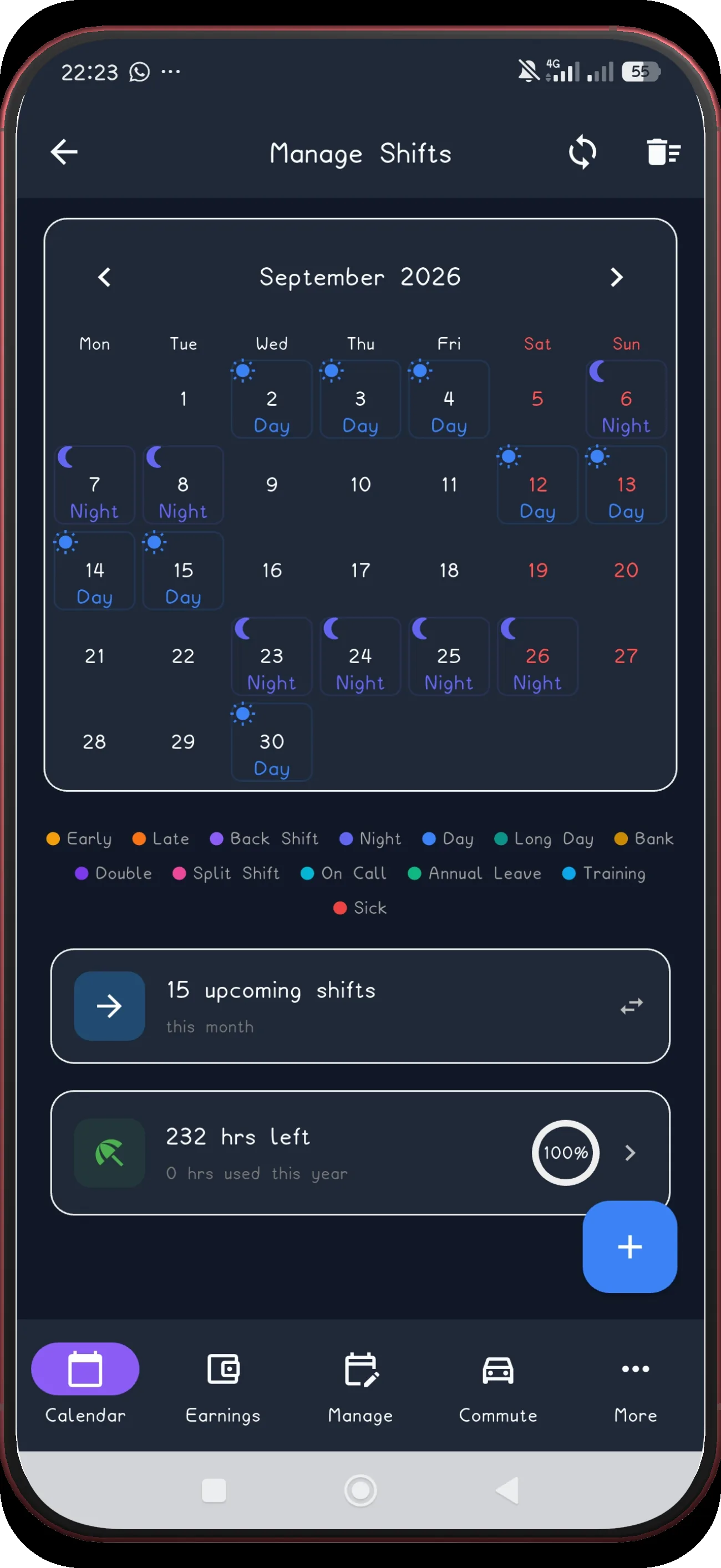
Fixed DuPont screen 19
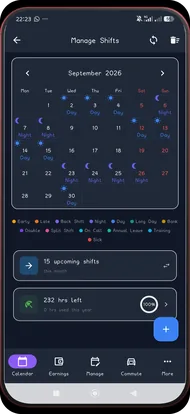
16

Check September

Confirm the pattern continues into September.

Next step ↓
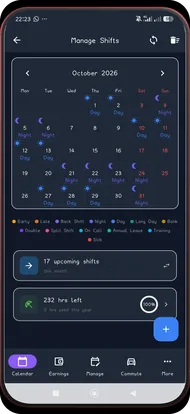
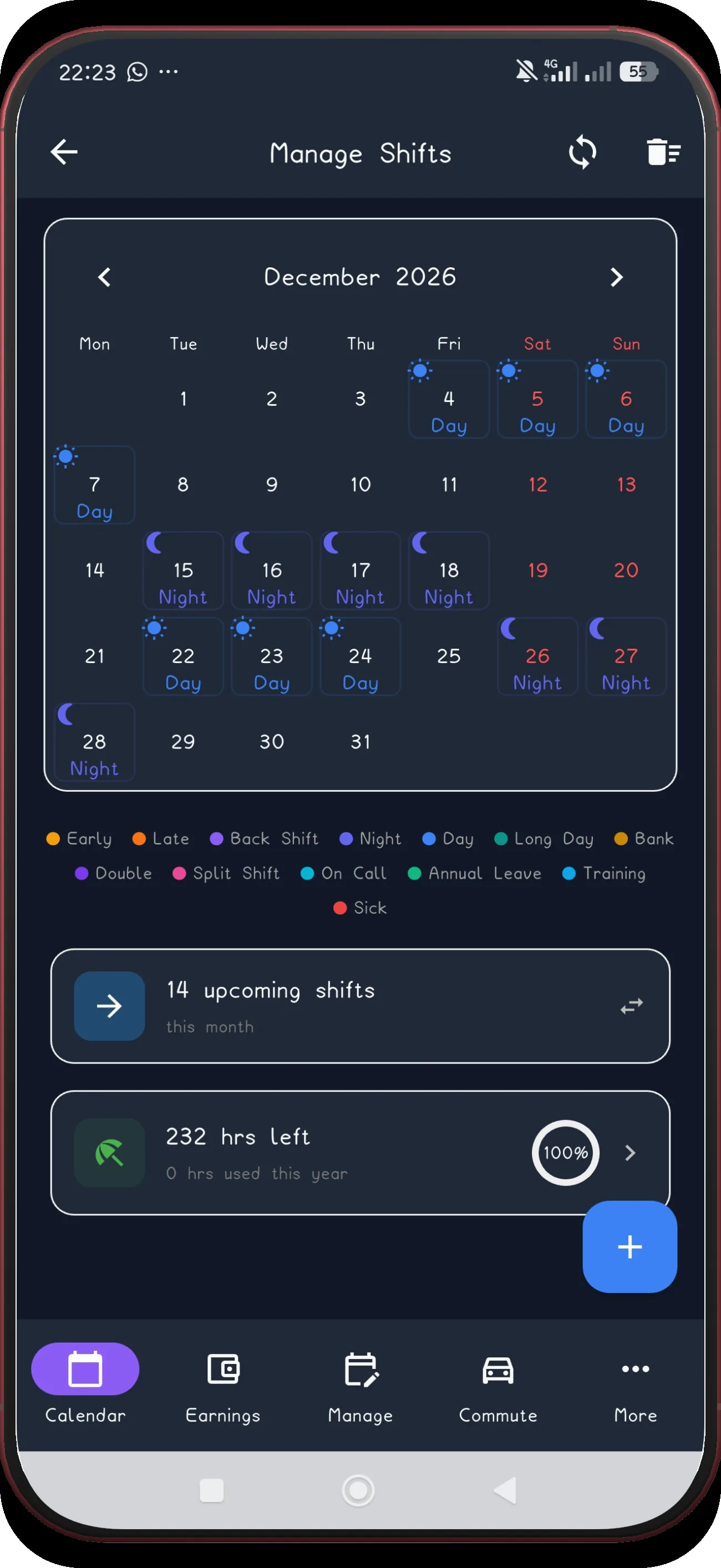
Fixed DuPont screen 22
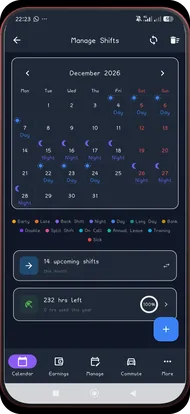
19

Check December

Confirm the final applied month in December.

Build the fixed cycle once.

ShiftFlowr carries the DuPont cycle into each selected month, with reminders and wake-up alarms attached to every shift.

Get ShiftFlowr