ShiftFlowr / 3-2-2-3 / Setup guide

Step-by-step guide

Setting up a 3-2-2-3 schedule — every supplied screen, in order.

3-2-2-3 is a 10-day fixed-shift cycle: three shifts on, two off, two on, three off. 20 real screenshots: choose the pattern, set the shift and anchor date, preview the cycle, apply it, and confirm the saved pattern.

Free on Android · Early access
Before you start

Follow the 3-2-2-3 flow one decision at a time

This walkthrough separates setup, preview, applied-calendar, and saved-pattern states. Each yellow boundary marks the action or result to check.

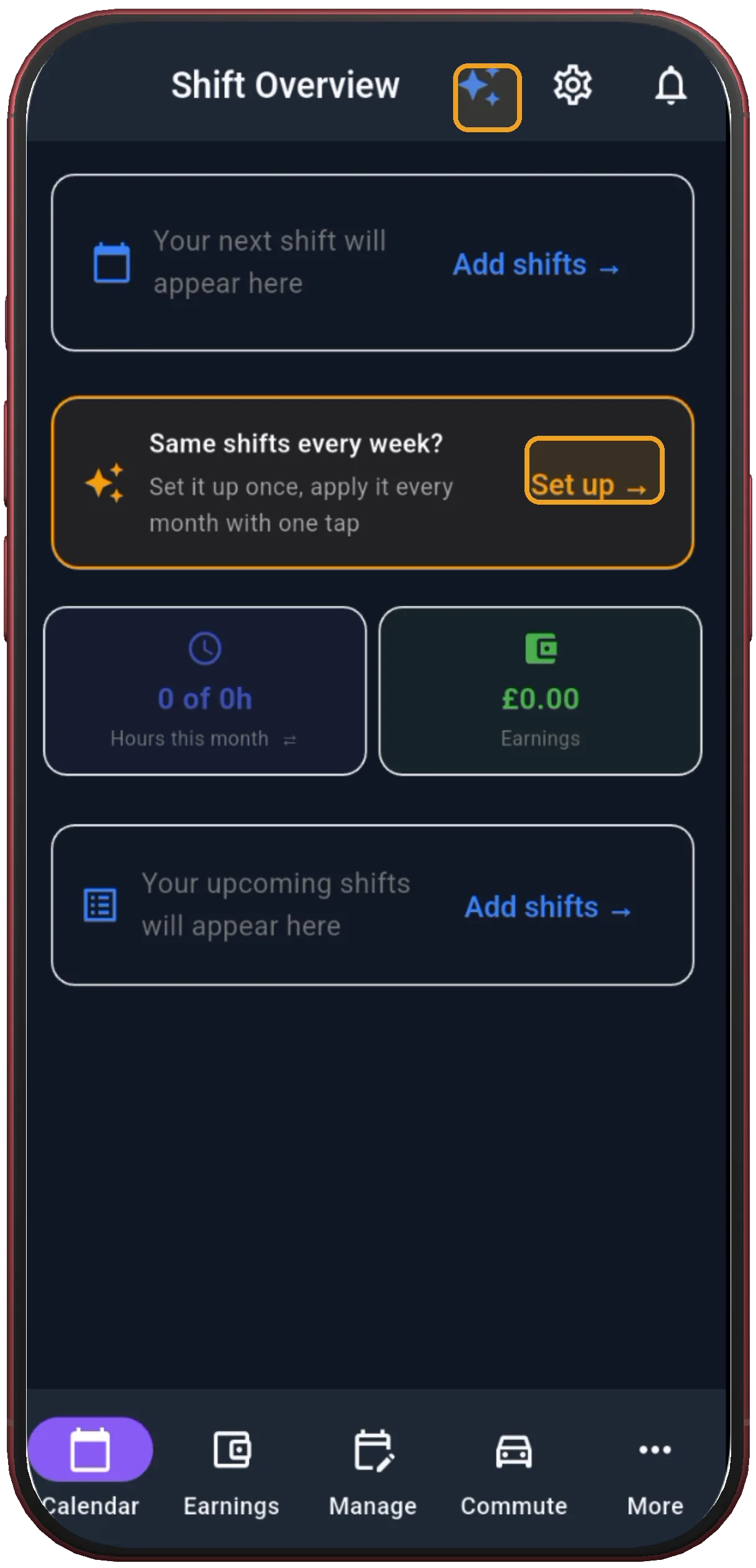
Shift Overview with Set up
1

Tap Set up

Shift Overview is the entry point for building a repeating shift pattern.

Next step ↓
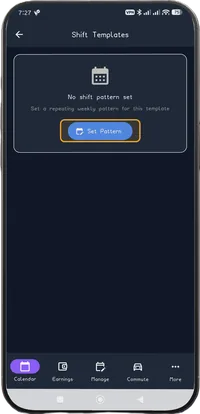
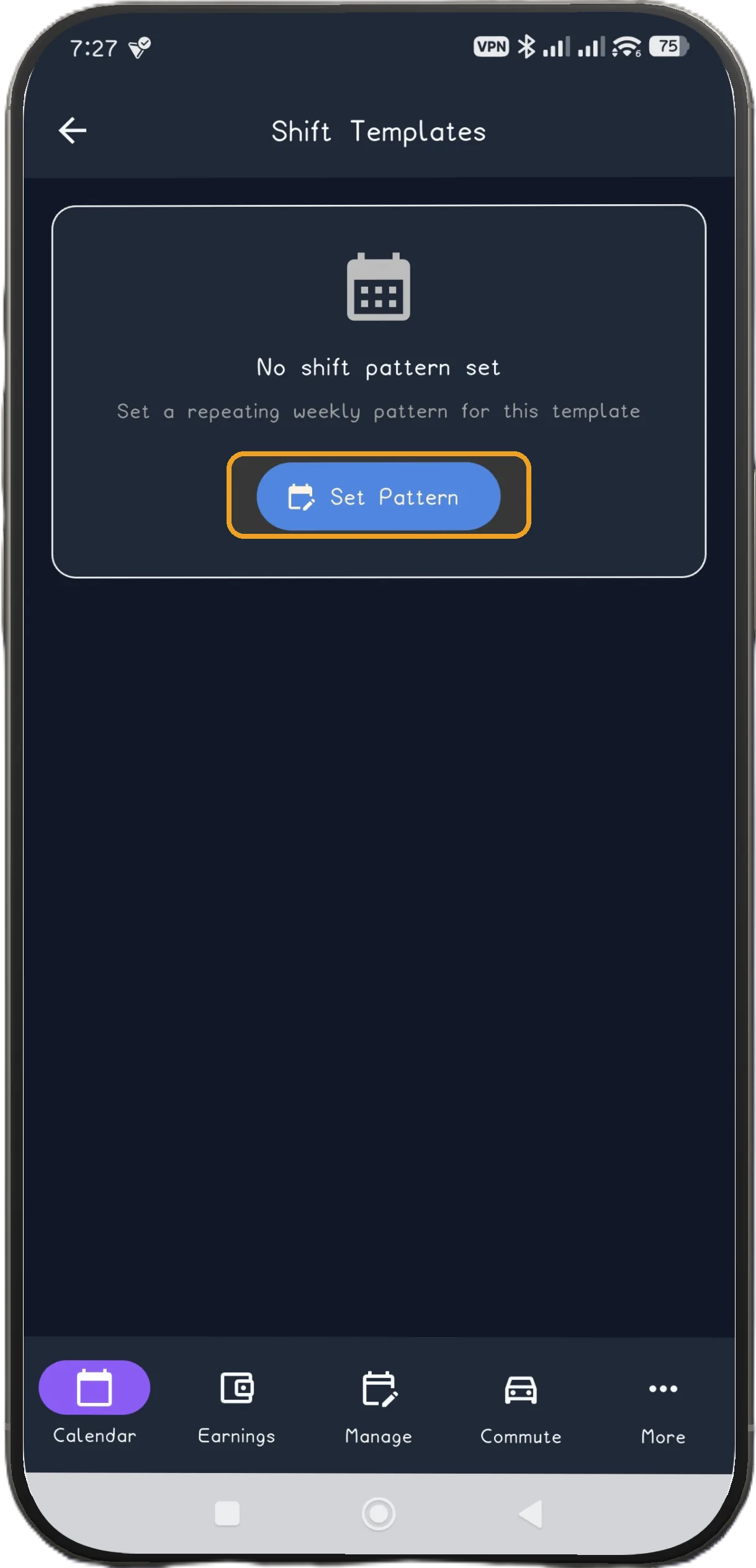
Shift Templates with Set Pattern
2

Tap Set Pattern

Open the pattern library from Shift Templates.

Next step ↓
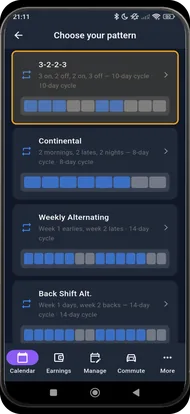
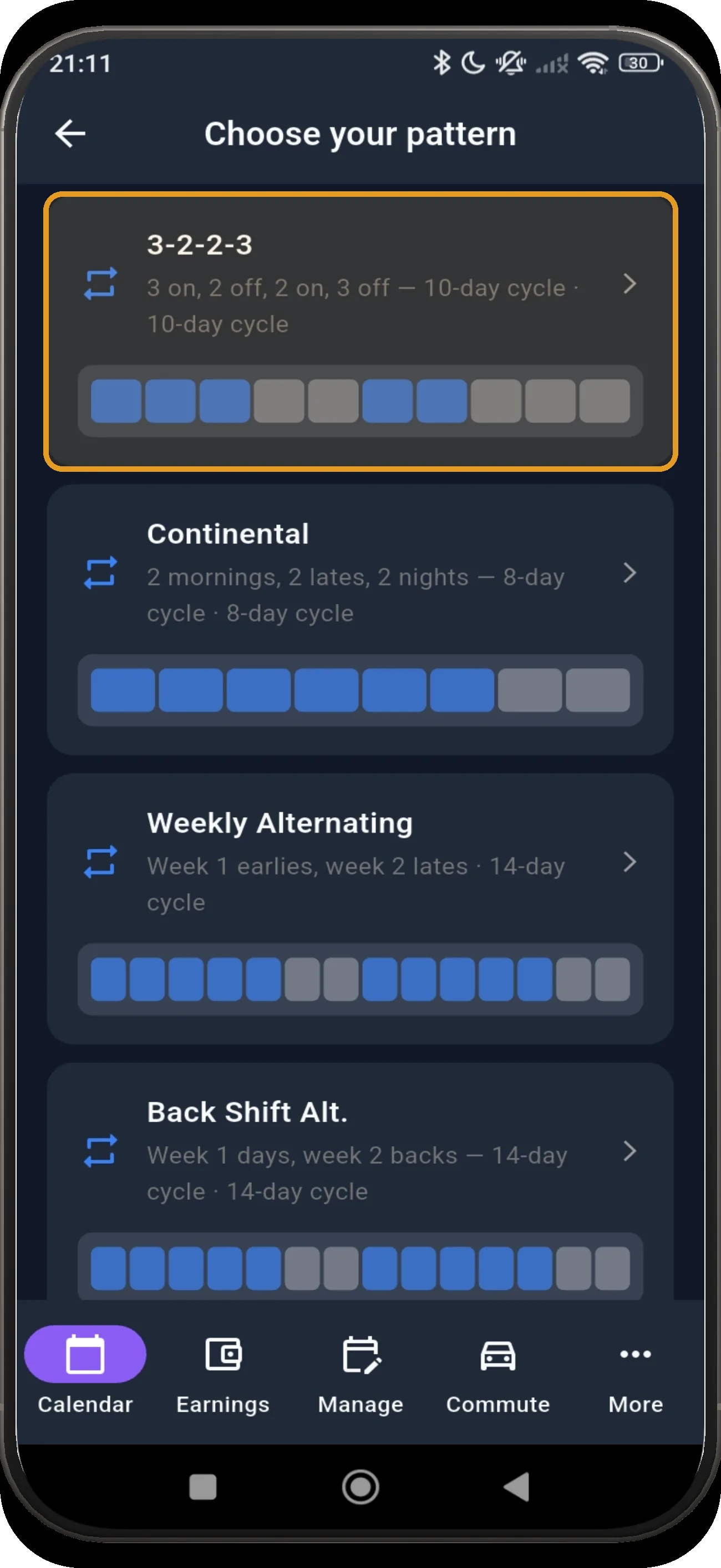
Pattern library with 3-2-2-3 highlighted
3

Choose 3-2-2-3

Choose the 3-2-2-3 card: three on, two off, two on, three off.

Next step ↓
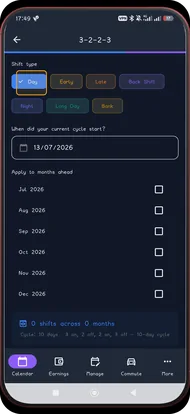
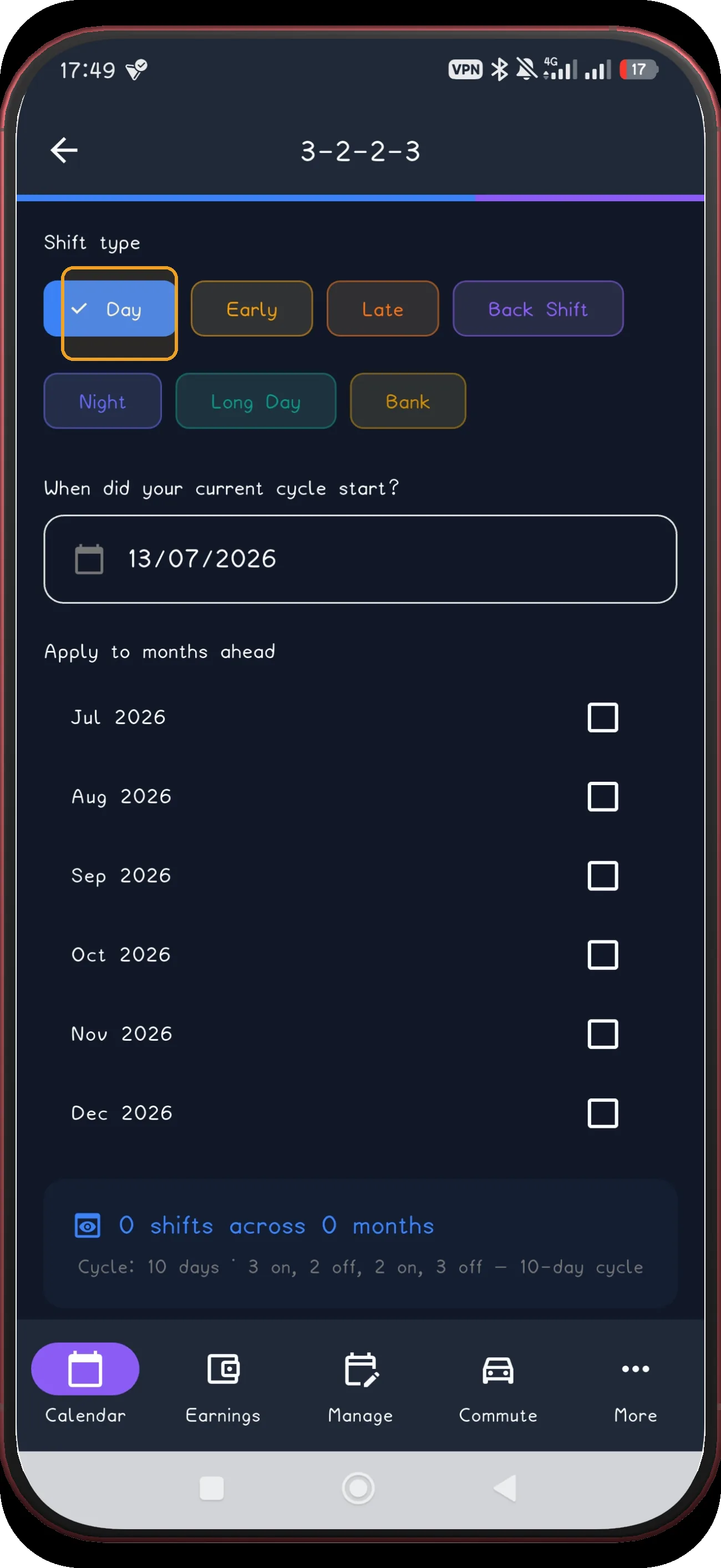
3-2-2-3 screen 4
4

Choose Day

Choose Day as the shift type for this example.

Next step ↓
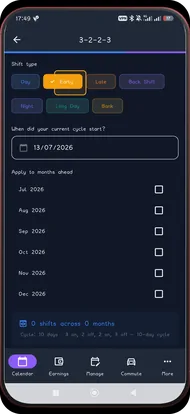
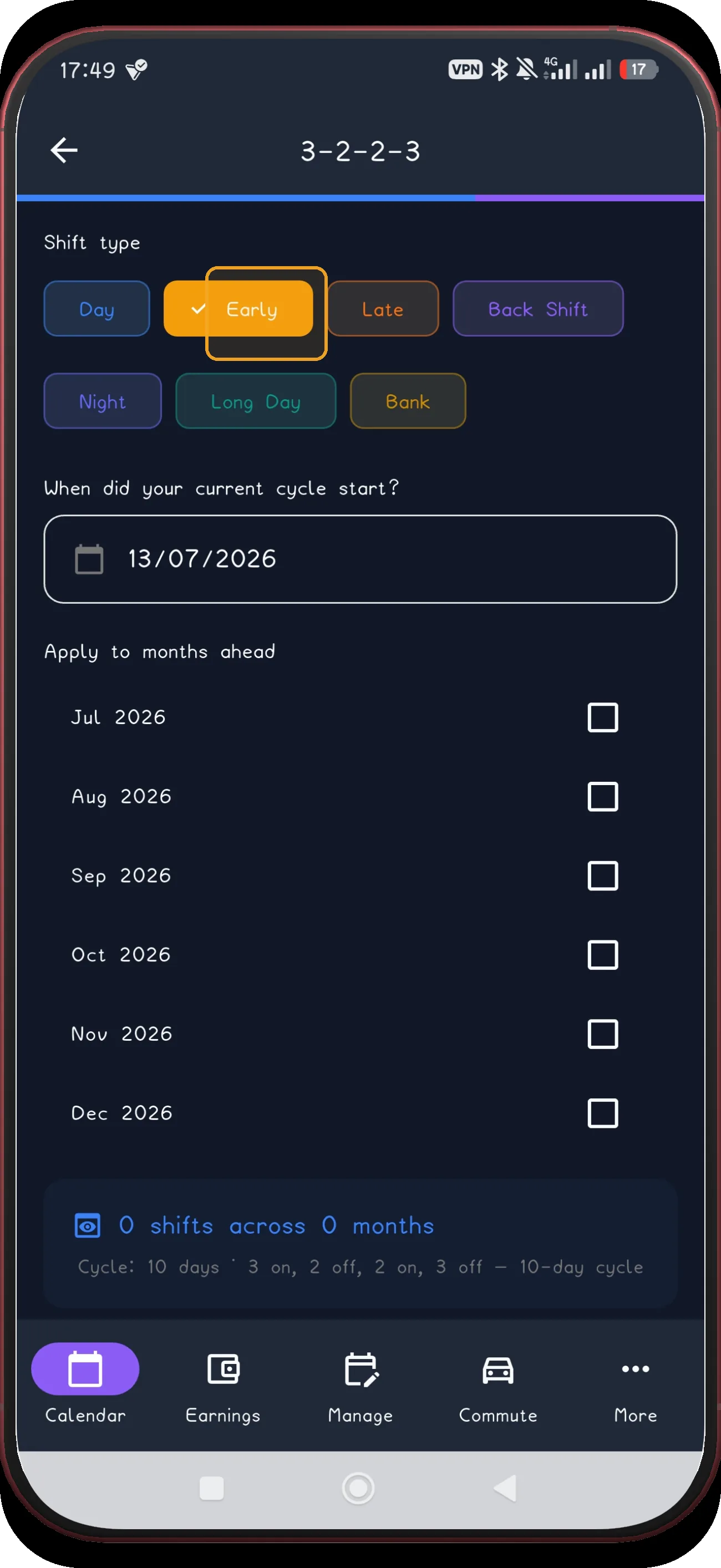
3-2-2-3 screen 5
5

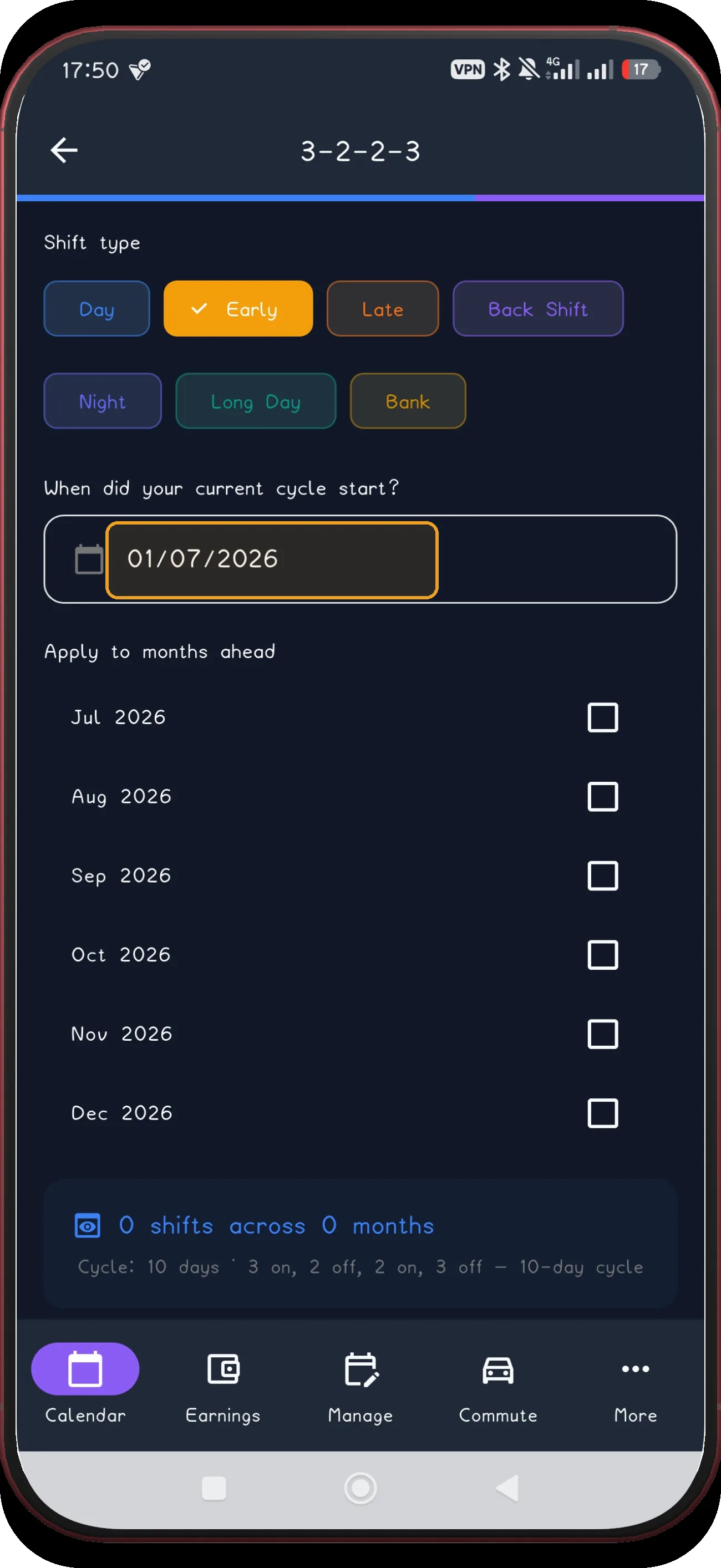
Choose Early

Or choose Early when that is the shift you actually work.

Next step ↓
3-2-2-3 screen 6
6

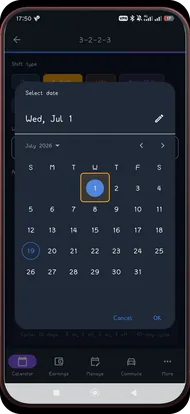
Open the anchor date

Open the date picker for the current cycle anchor.

Next step ↓
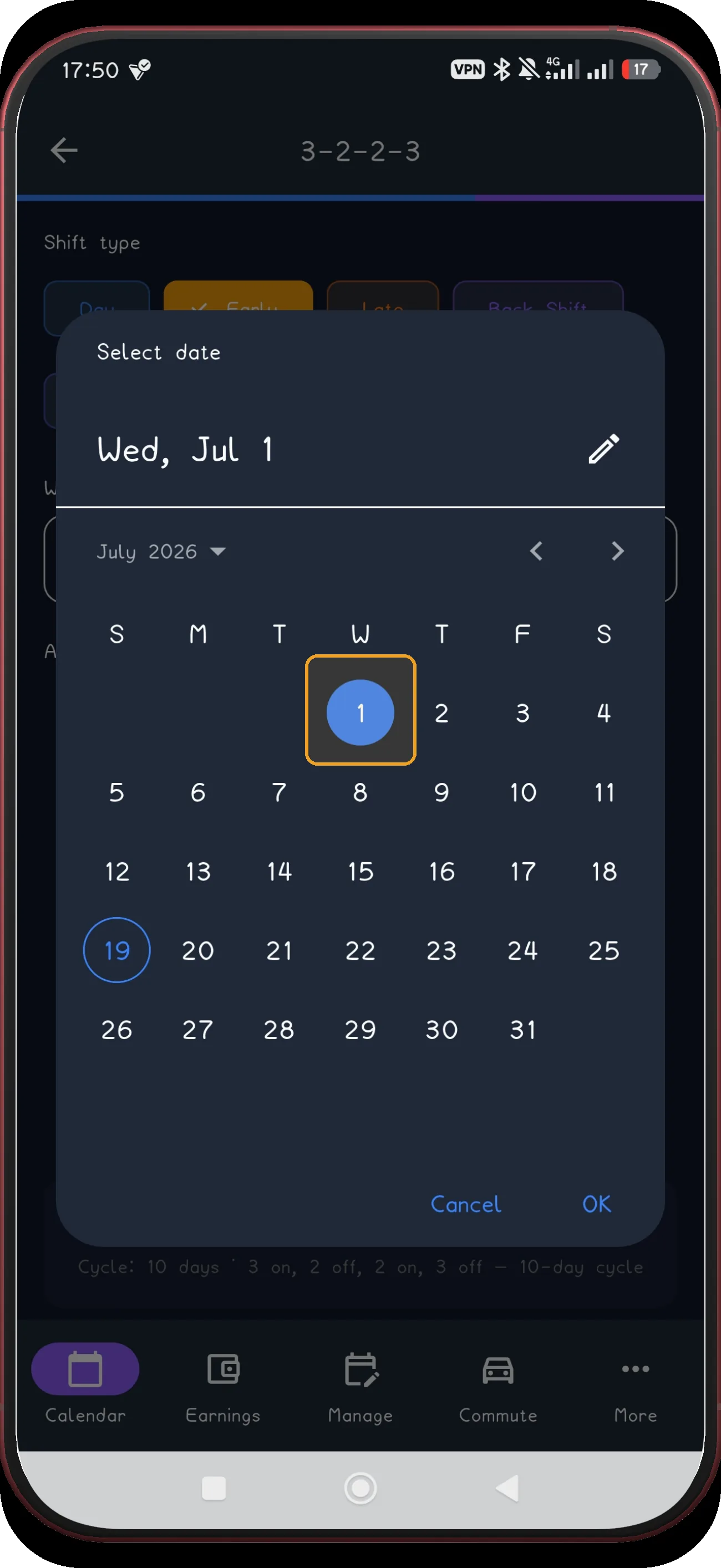
3-2-2-3 screen 7
7

Confirm the anchor date

Confirm the selected anchor date before continuing — the captured example uses Wednesday 1 July 2026.

Next step ↓
3-2-2-3 screen 8
8

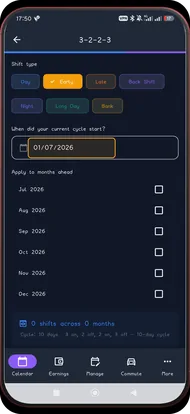
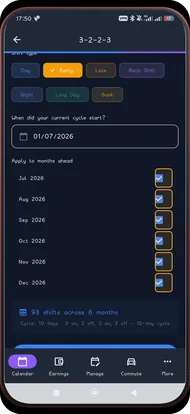
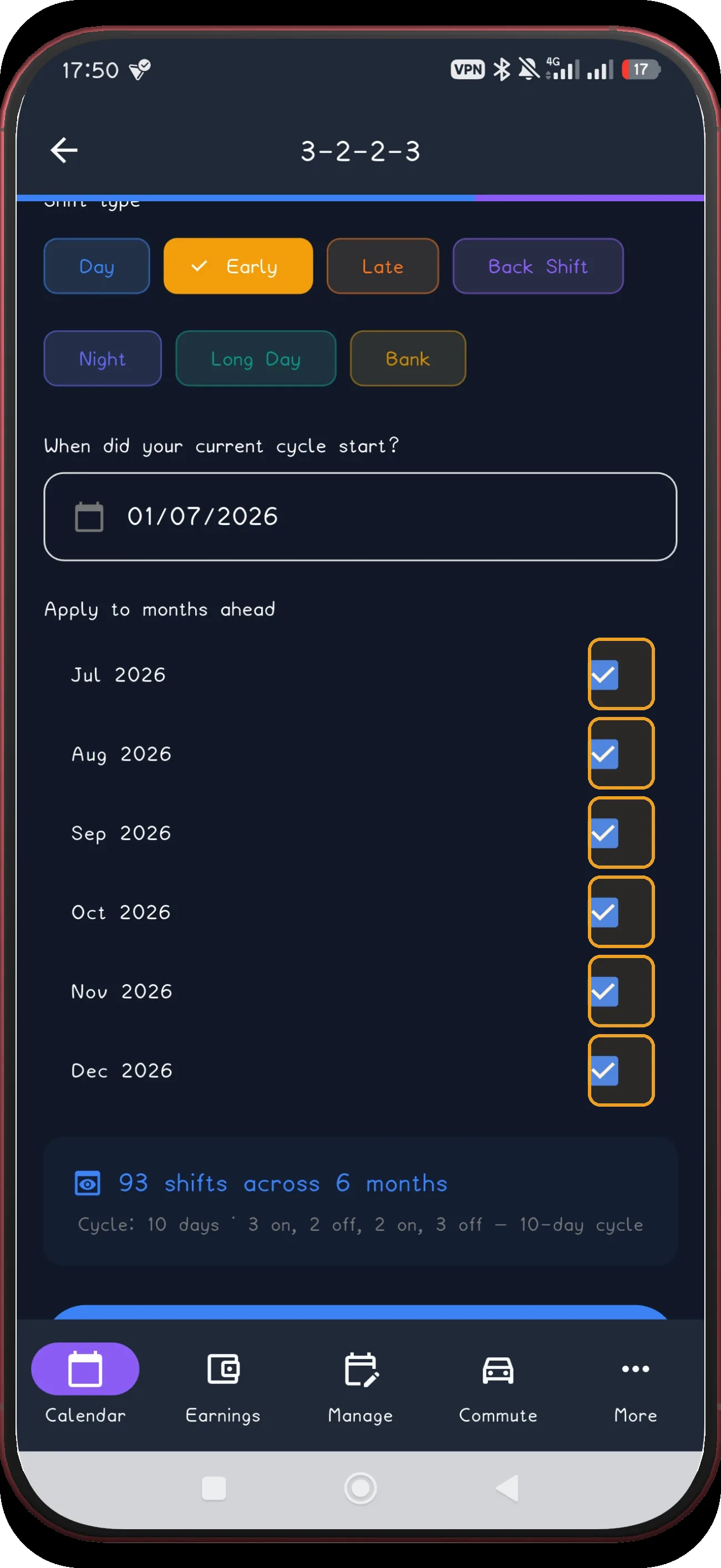
Select months and preview

Select the future months, then preview the generated schedule.

Next step ↓
3-2-2-3 screen 9
9

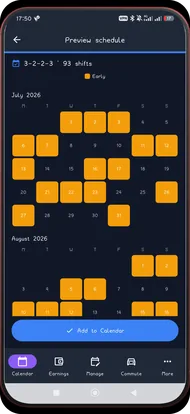
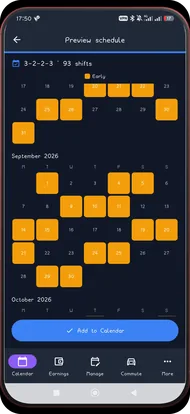
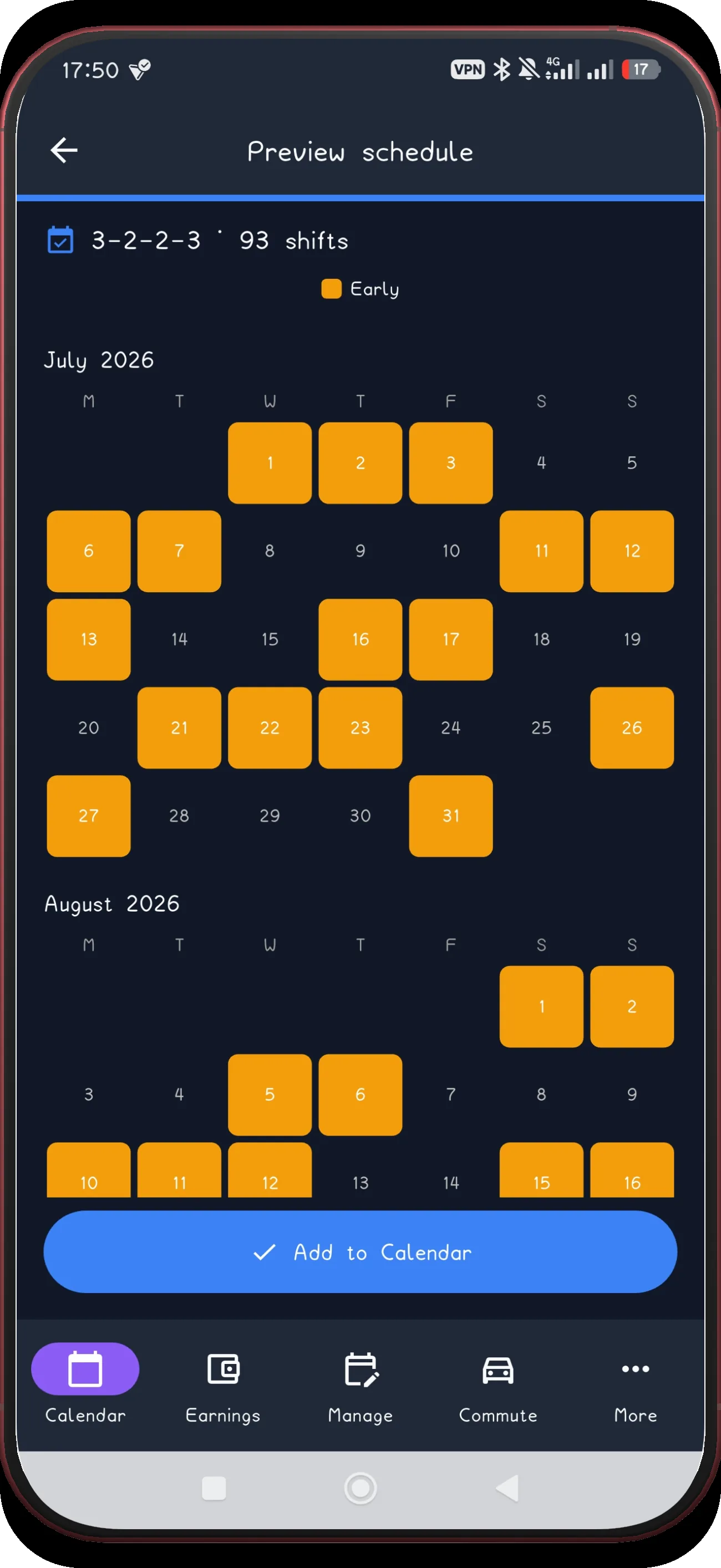
Review July and August

Review the first preview pair before applying anything.

Next step ↓
3-2-2-3 screen 10
10

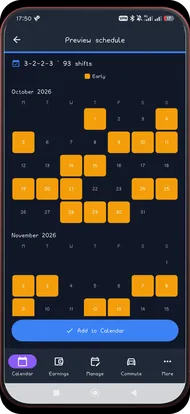
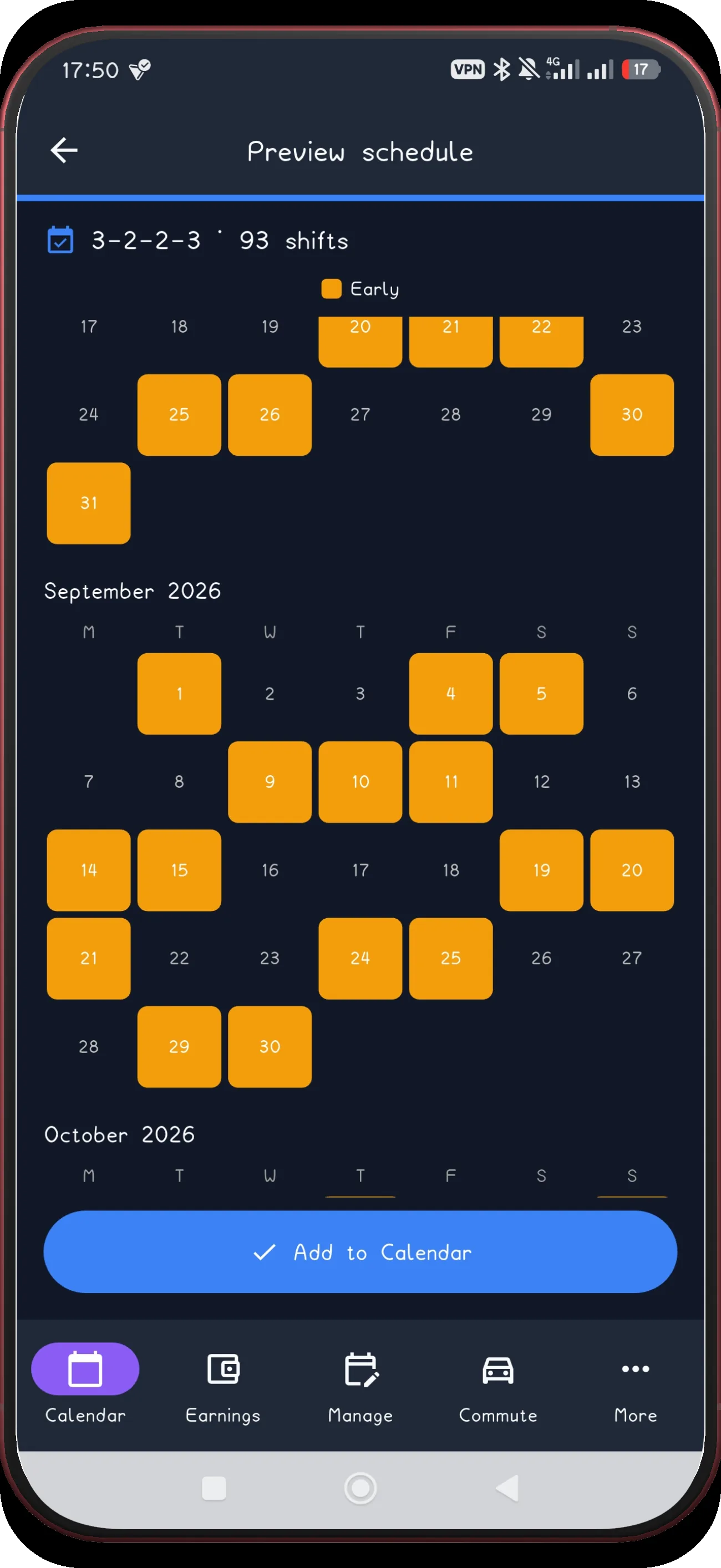
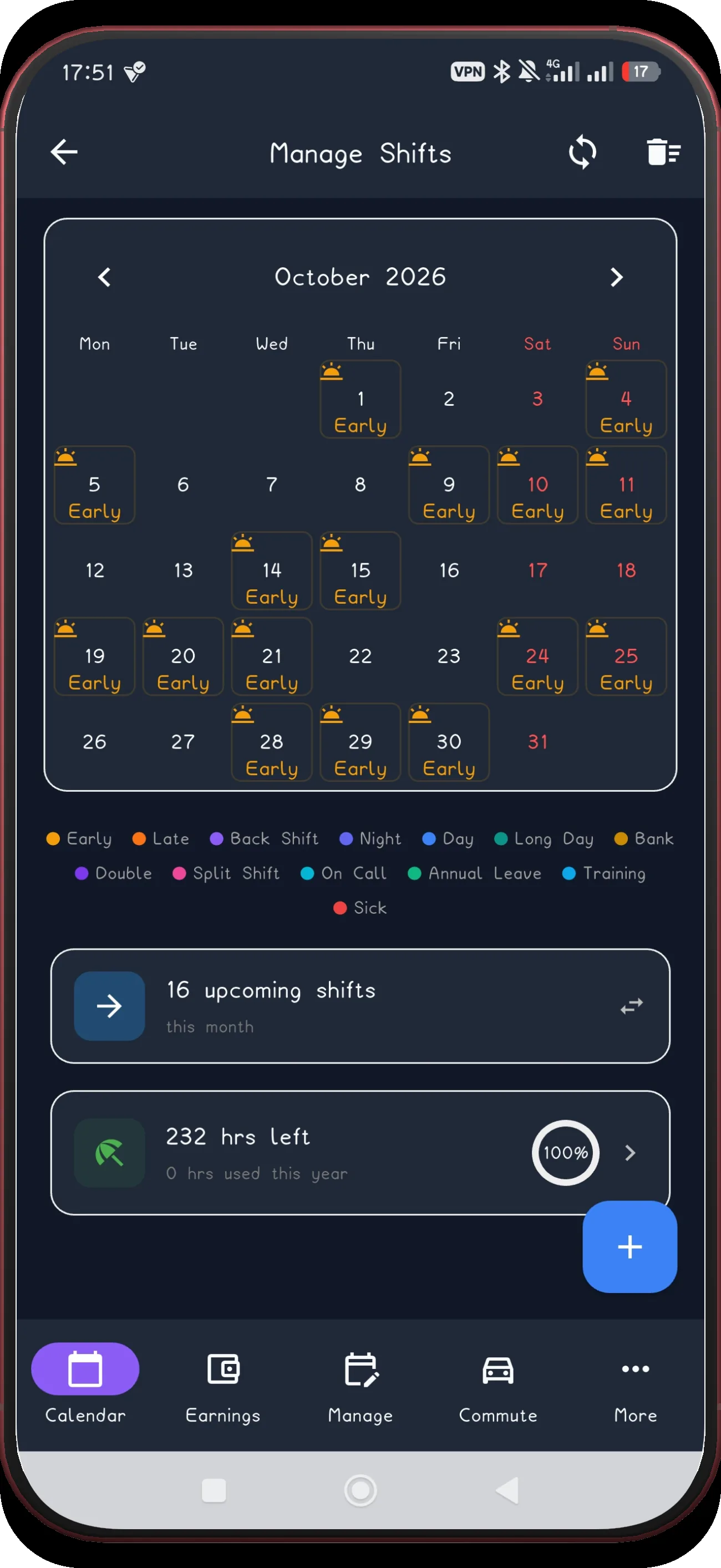
Review September and October

The next pair keeps the 10-day cycle intact.

Next step ↓
3-2-2-3 screen 11
11

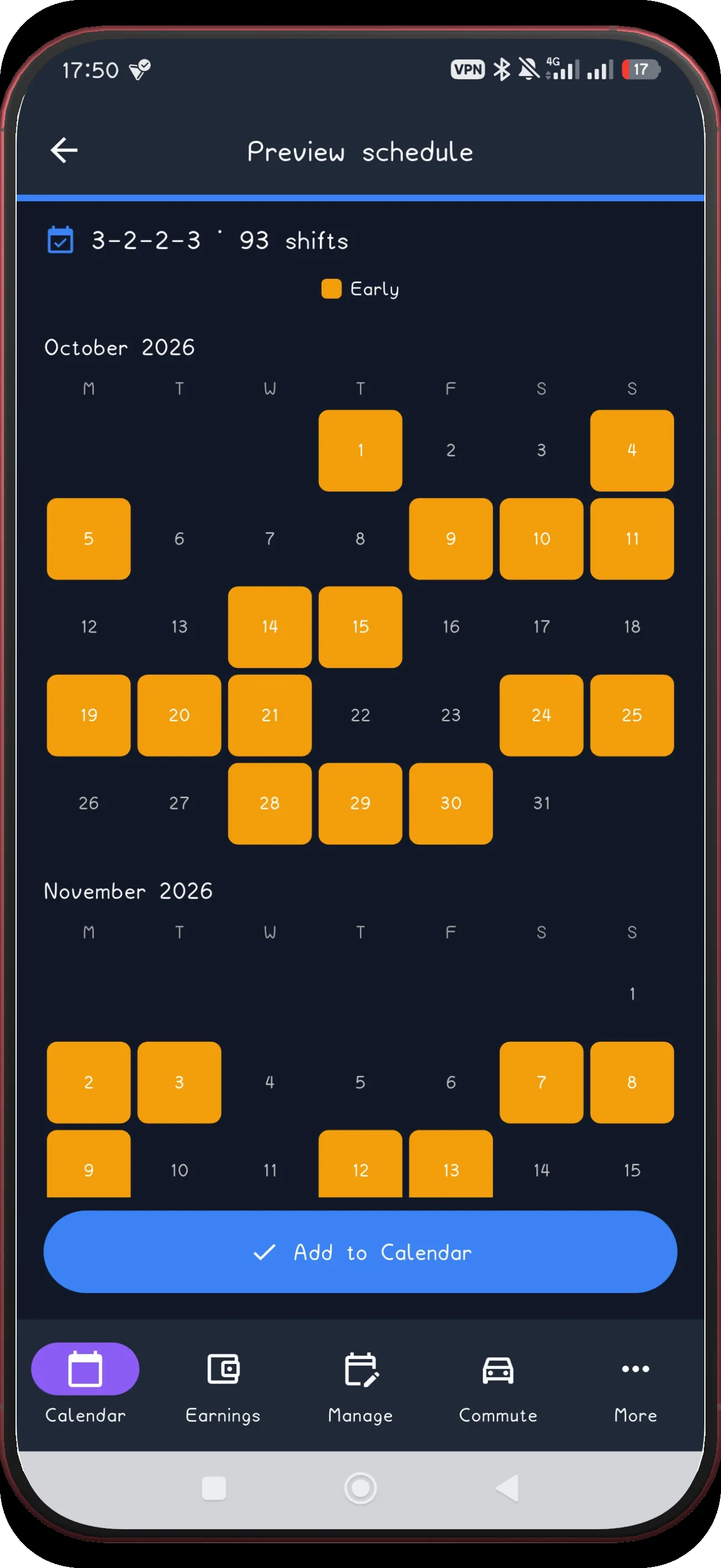
Review October and November

Check the later preview pair before applying.

Next step ↓
3-2-2-3 screen 12
12

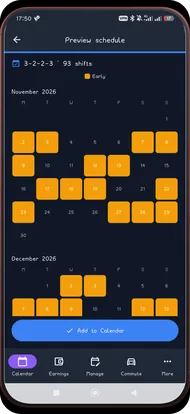
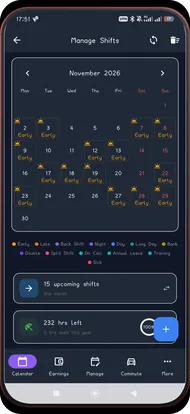
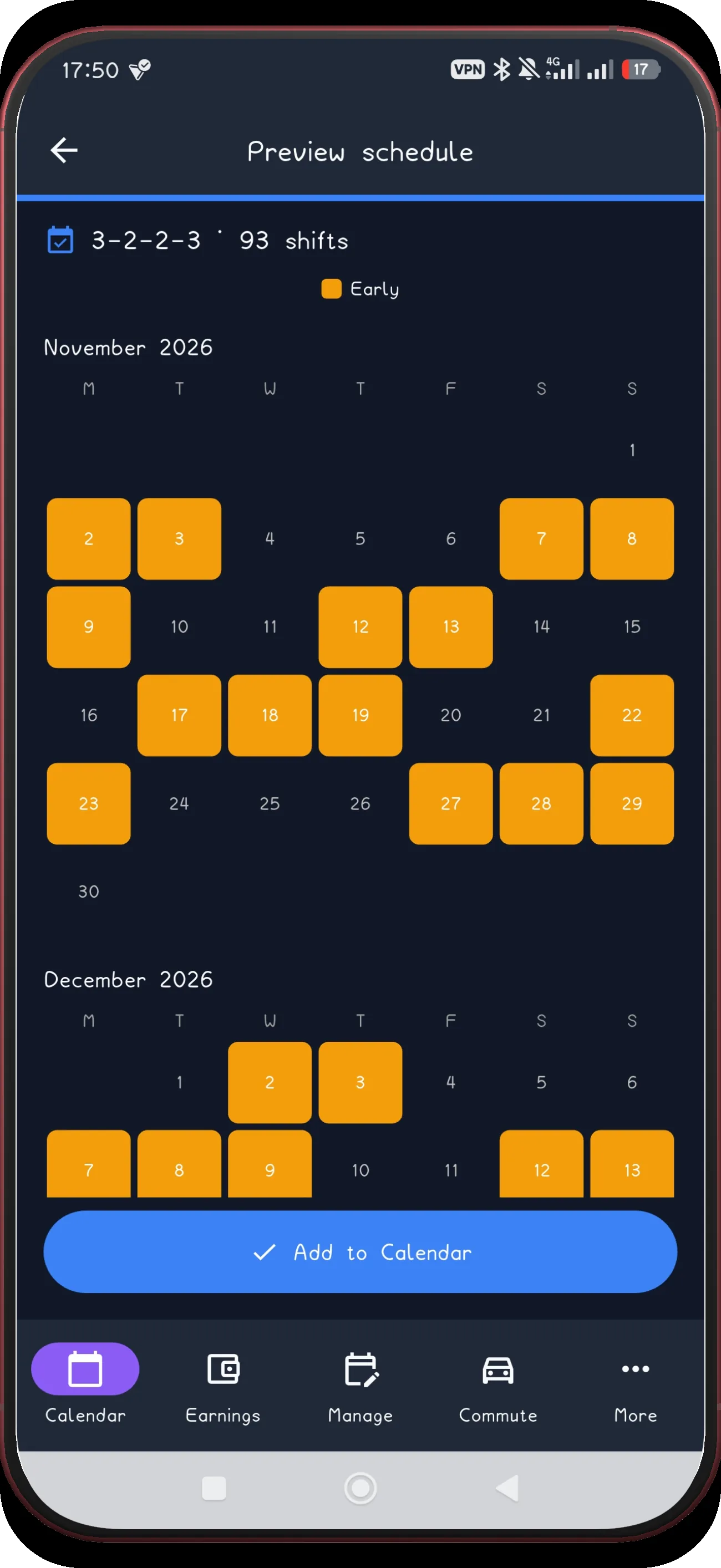
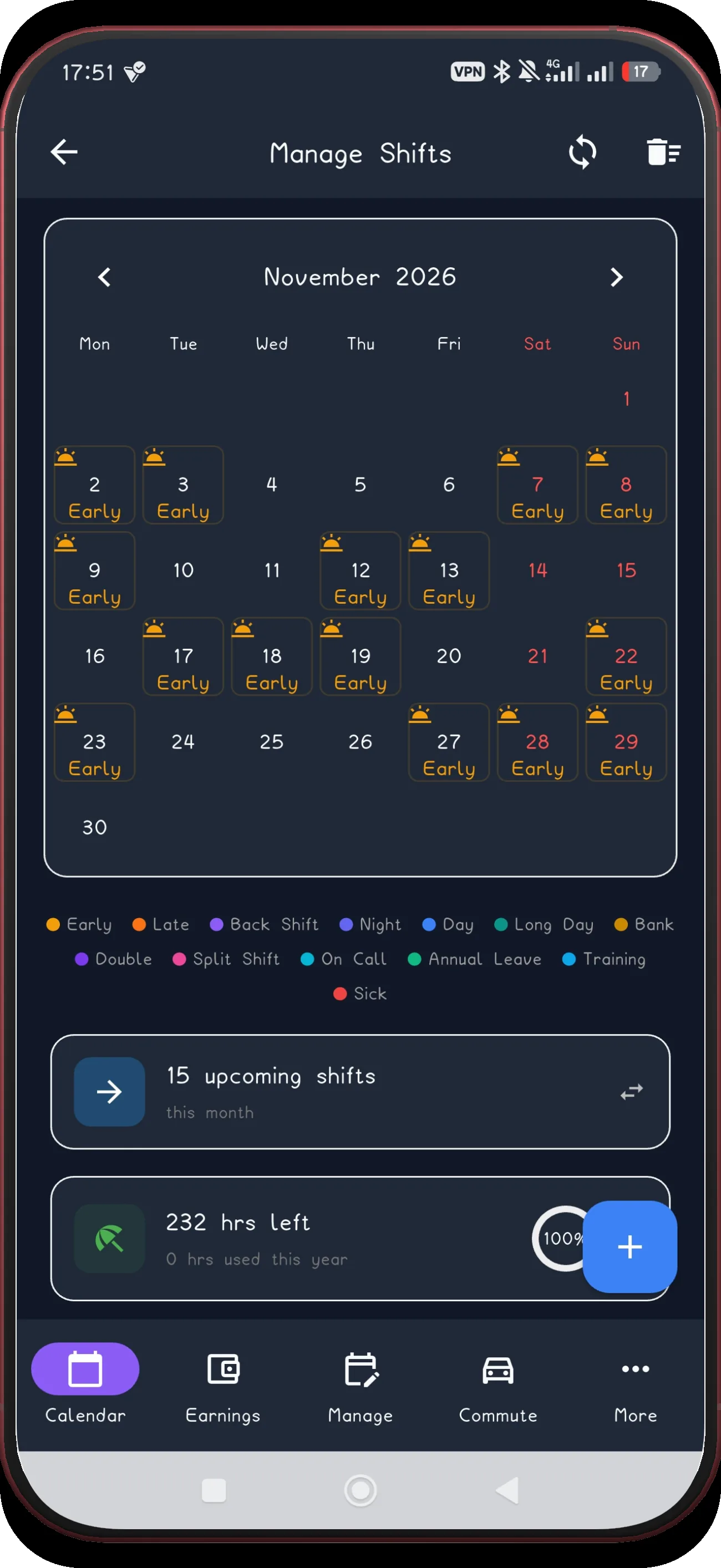
Review November and December

Finish reviewing the final preview months.

Next step ↓
3-2-2-3 screen 13
13

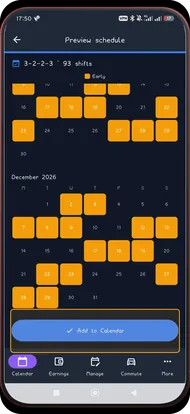
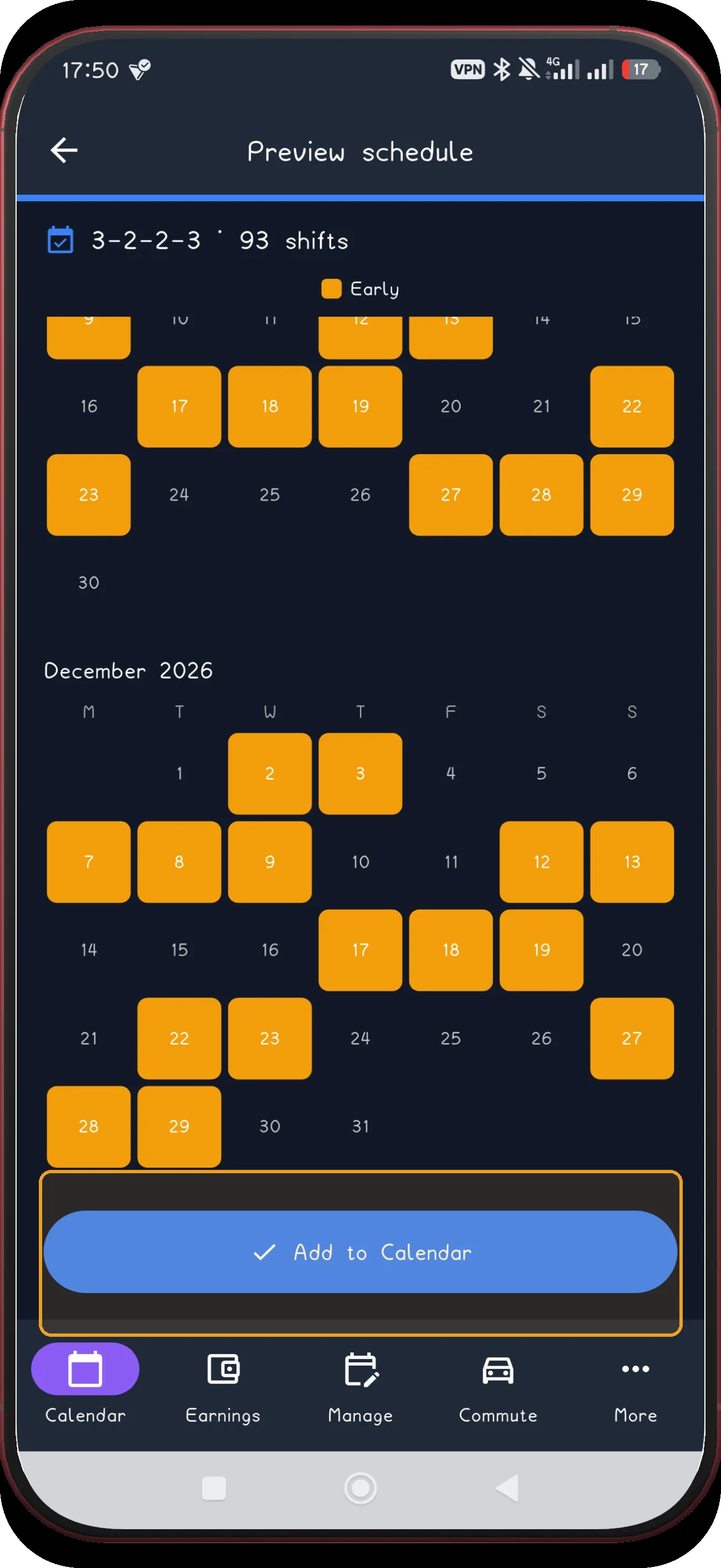
Add the schedule

Use Add to Calendar only after the preview matches your schedule.

Next step ↓
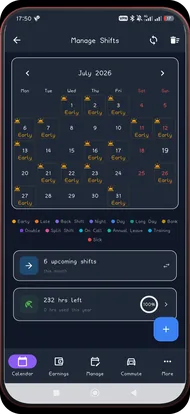
3-2-2-3 screen 14
14

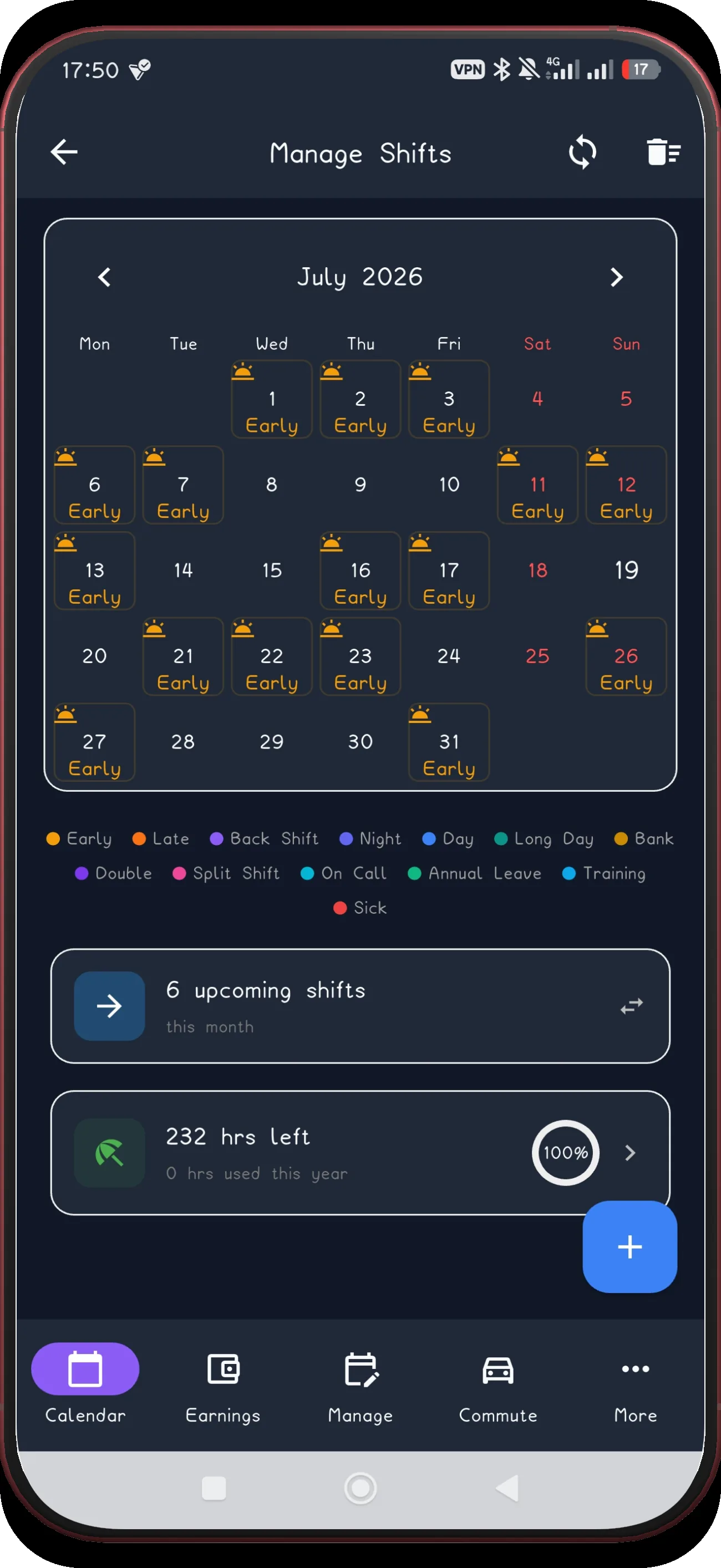
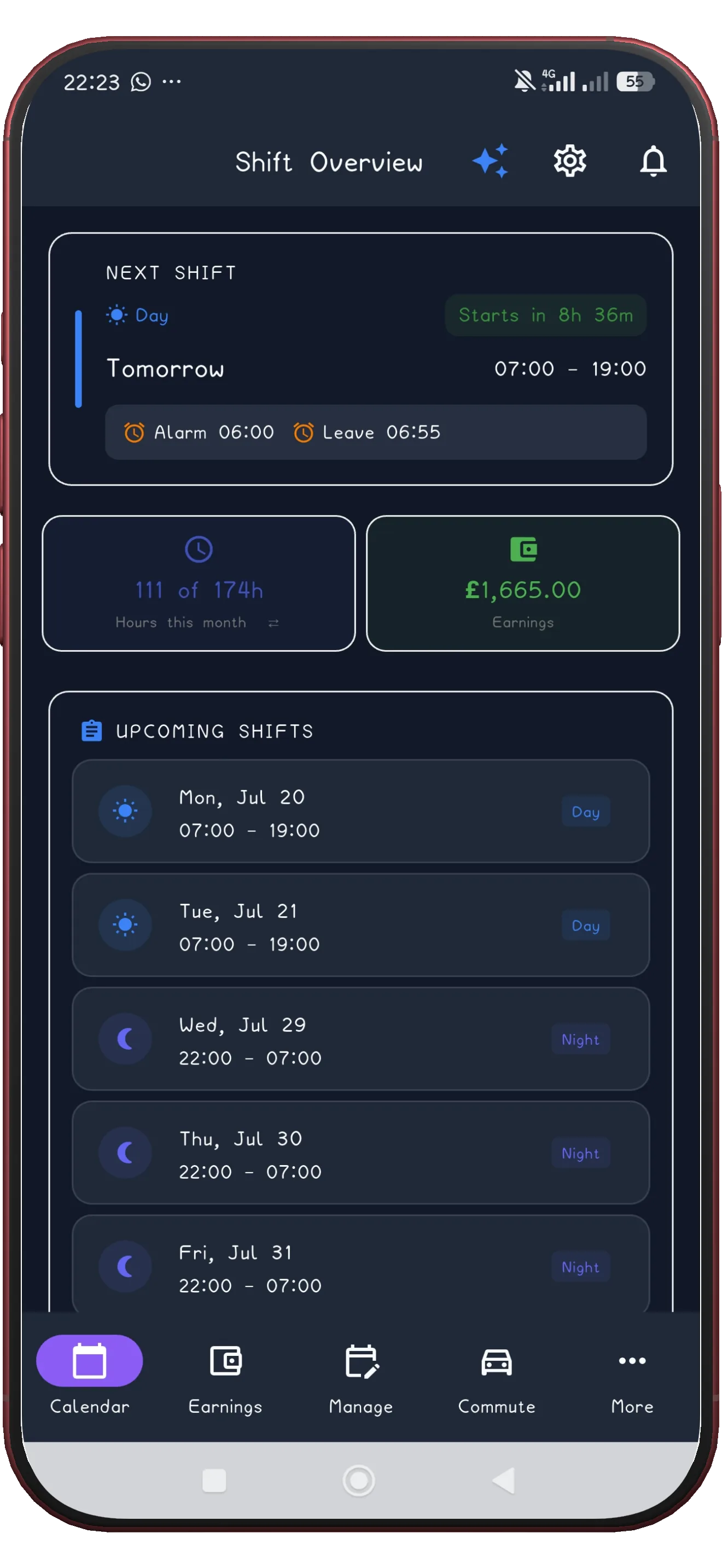
Check July

The first applied month now appears in Manage Shifts.

Next step ↓
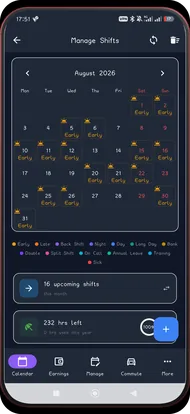
3-2-2-3 screen 15
15

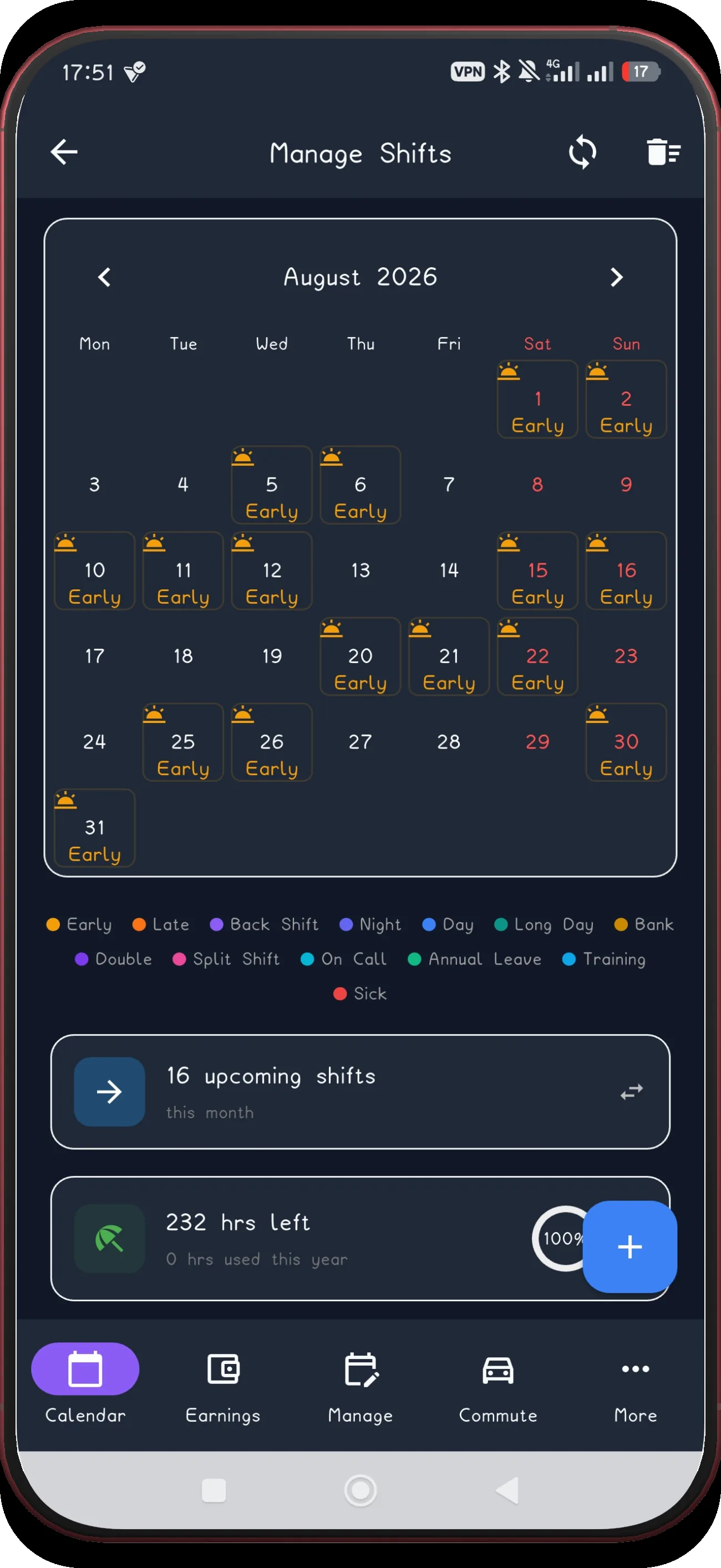
Check August

Move forward and confirm the next applied month.

Next step ↓
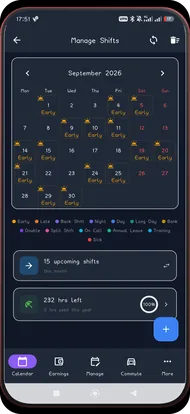
3-2-2-3 screen 16
16

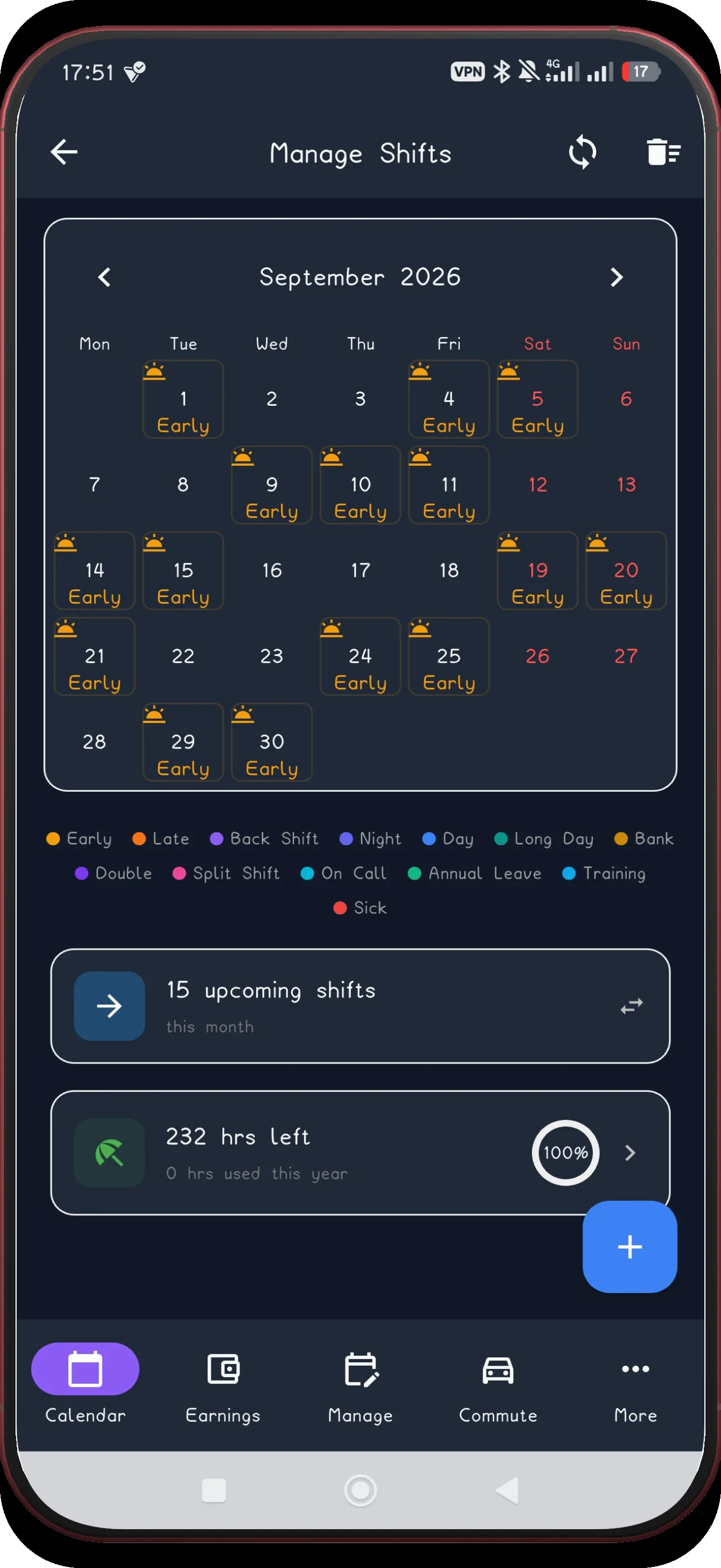
Check September

Confirm the pattern continues into September.

Next step ↓
3-2-2-3 screen 19
19

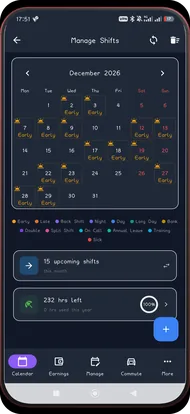
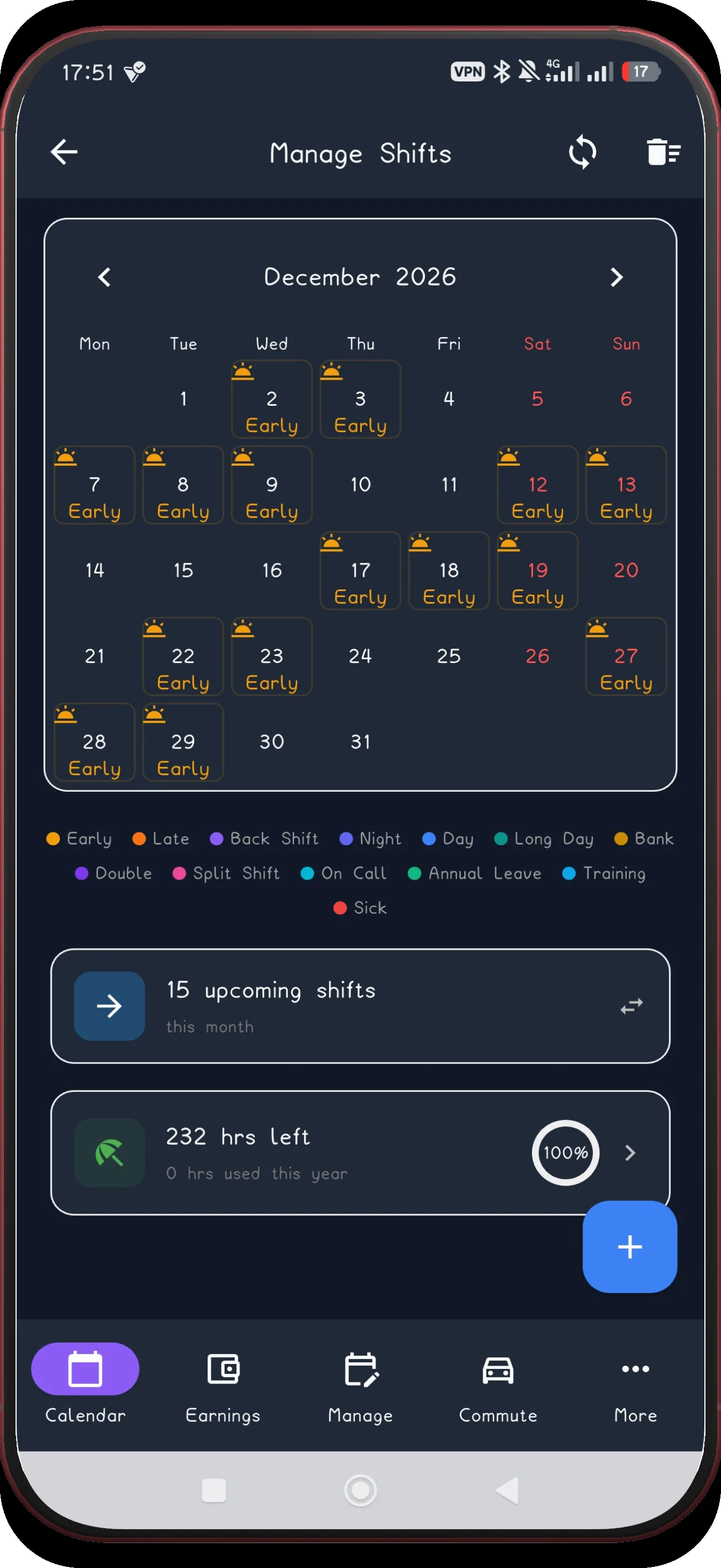
Check December

Confirm the final applied month in December.

Next step ↓
3-2-2-3 screen 20
20

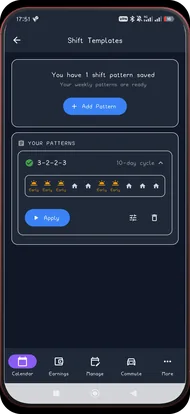
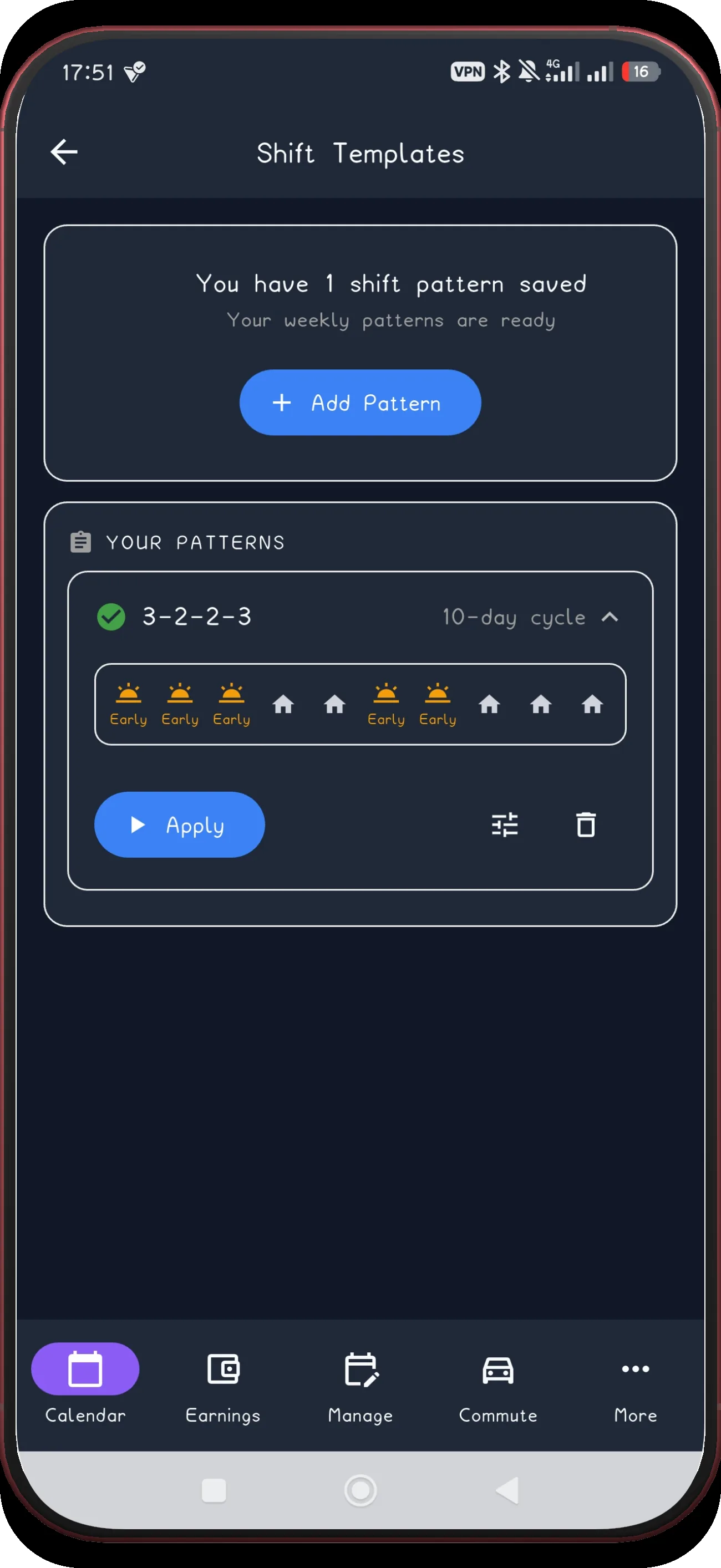
Confirm the saved pattern
The 3-2-2-3 pattern is saved and ready to apply again.

Build the 3-2-2-3 cycle once.

ShiftFlowr carries the repeating cycle into each selected month, with reminders and wake-up alarms attached to every shift.

Get ShiftFlowr