Product proof
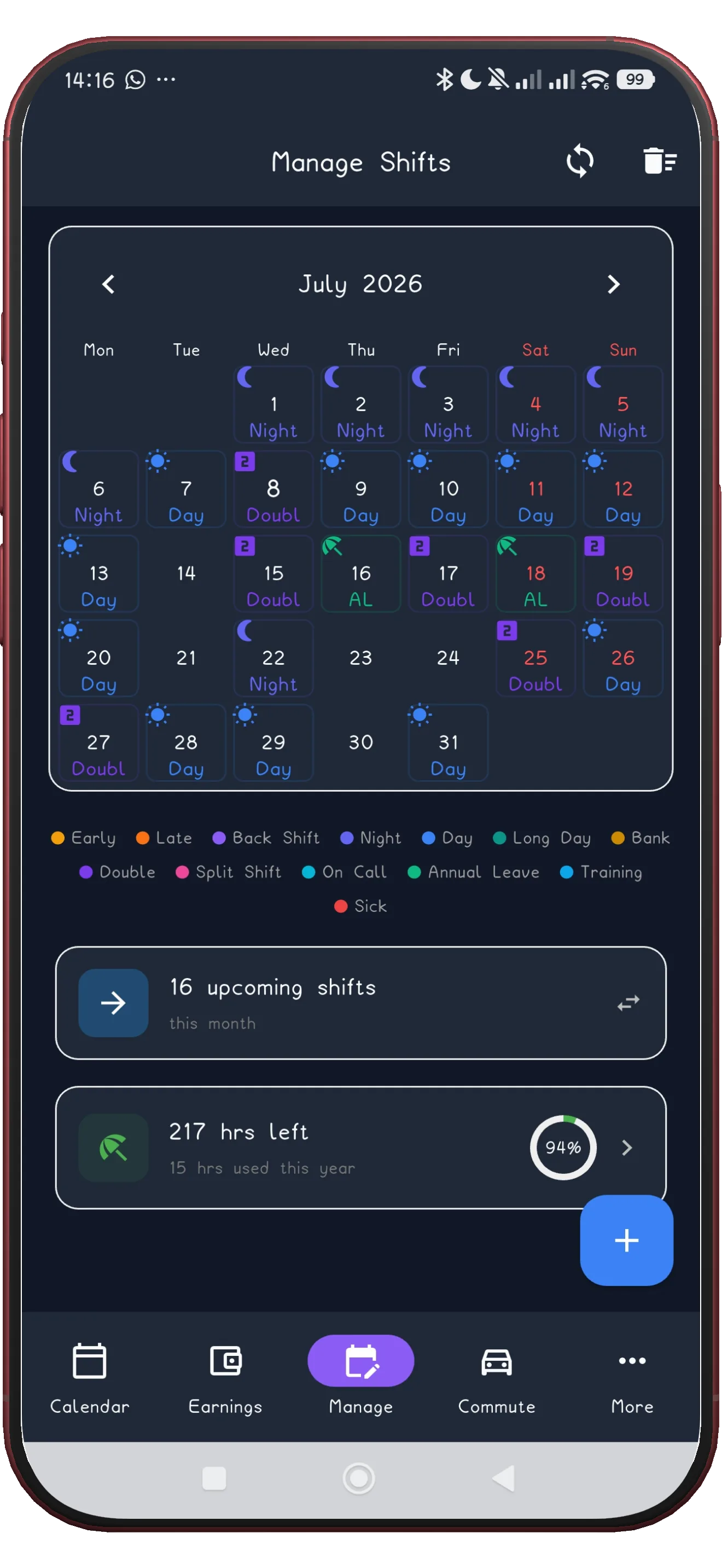
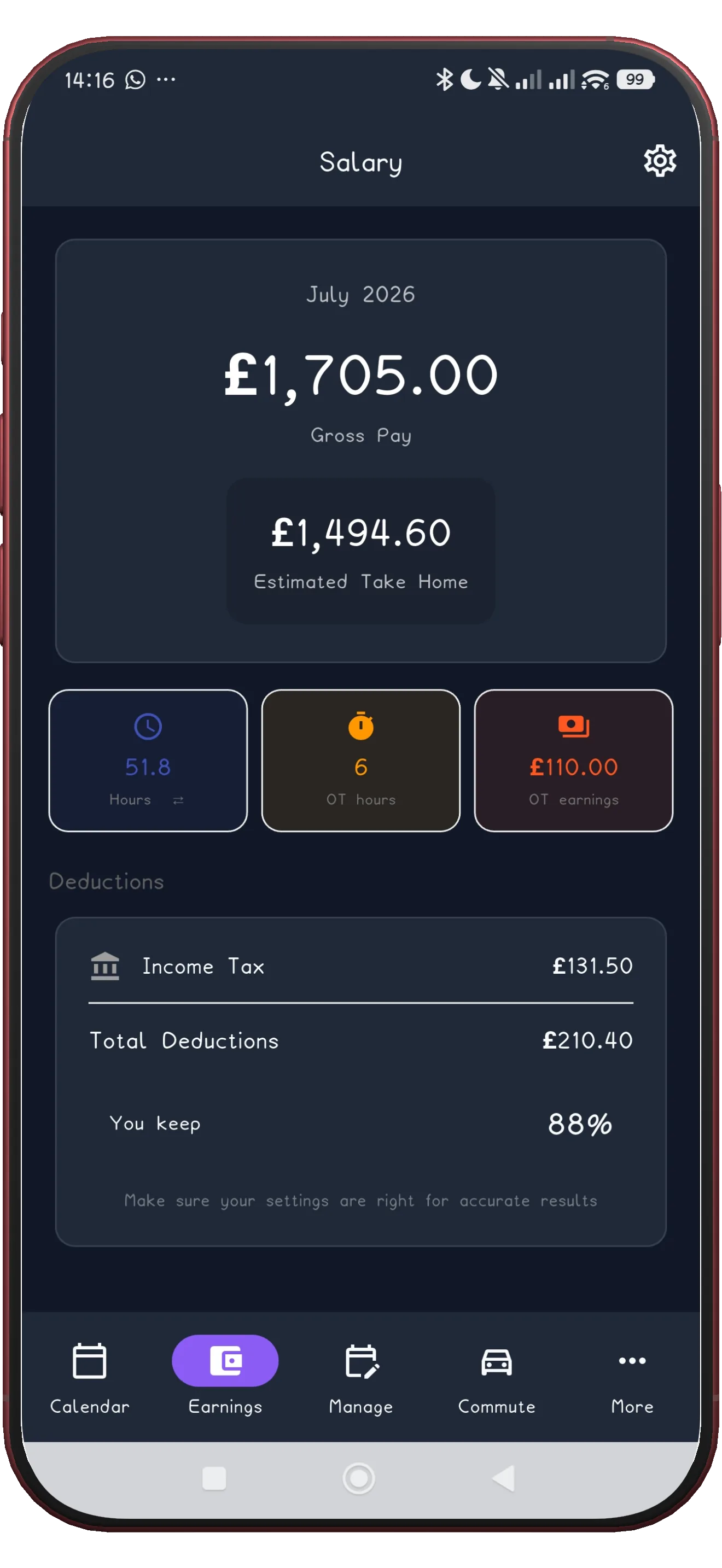
See scheduling, patterns, and pay in the same flow.
Free on Android
ShiftFlowr is a free shift scheduling app for Android. Build your shift schedule once - from 11 preset patterns or a custom cycle - and the app auto-fills your calendar every month. Includes a wake-up alarm for every shift, an earnings calculator, and region-aware shift names for UK, US, Australia, Canada, and New Zealand.
Free on Android · Early access · Every feature unlocked · try the free rota generator in your browser first
Product proof
What it does
Most shift workers rebuild their schedule from scratch every month - manually entering the same repeating pattern into a generic calendar app. ShiftFlowr eliminates that. You set your cycle once, pick your start date, and tap Apply. Every shift lands in your calendar automatically, correctly, with a wake-up alarm already set.
It works for every major rotating pattern: 4-on-4-off, Panama (2-2-3), Pitman, DuPont, NHS 3-week rotation, and more - or a fully custom cycle you define yourself.
Set your pattern once. Apply it for months in one tap. Existing shifts are never overwritten.
Every shift gets an automatic alarm. Early, late, night, or back shift - you'll never oversleep.
Enter your day and night rates. ShiftFlowr adds up your projected earnings across any date range.
Auto-detects your location. Shows UK, US, Australian, Canadian, or NZ shift terminology by default.
All data lives on your device. View, edit, and add shifts with no internet connection.
4-on-4-off, Panama, Pitman, DuPont, NHS rotation, and more - or build your own custom cycle.
Supported patterns
ShiftFlowr ships with 11 built-in repeating patterns for common fixed and rotating rotas. You can change shift times and the anchor date; where your exact day, night, and rest sequence differs, use the custom pattern builder.
Shift types you can log: Early/Morning, Late/Swing, Night, Back Shift, On Call, Rest Day, and fully custom types with your own label and colour.
Search intent variants
Some people search for a rota planner app or a shift planner app. Others want a shift calendar app, a shift work calendar app, a shift schedule maker, or a work alarm app. In Australia and New Zealand, the same need may be called a roster maker or roster app; in the US and Canada, people may search for a shift schedule generator. A shift worker may simply search for an app for work shifts. These are different entry points into the same personal scheduling problem, not separate products.
Best when the main pain is building and repeating the schedule itself. See rota planner app.
Best when the main pain is readability across weeks and months. See shift calendar app.
Best when you need one personal place for rotating shifts, alarms, leave, and projected pay. ShiftFlowr is built for the worker, not an employer managing a team.
Best when the wake-up logic depends on the rota. See work alarm app.
Who uses ShiftFlowr
ShiftFlowr is used by workers whose hours rotate - anyone who can't just set a weekly recurring event and forget it.
| Occupation | Typical pattern | Common shifts |
|---|---|---|
| NHS nurses & healthcare | 3-week rotation / 4-on-4-off | Early, Late, Night |
| Security guards | 4-on-4-off / Pitman | Day, Night, Rest |
| Manufacturing & engineering | DuPont / Panama | Day, Back, Night |
| Emergency services | 4-on-4-off / custom | Day, Night |
| Retail & hospitality | Variable / custom | Early, Late, Split |
| FIFO workers (mining, oil & gas) | 2-weeks-on / 1-week-off | Day, Night, Travel |
| Call centre & contact centre | Rotating 5-shift weeks | Early, Late, On Call |
How it compares
Generic apps like Google Calendar or Apple Calendar can store shifts, but they were built for meetings - not rotating schedules. ShiftFlowr is purpose-built for the way shift workers actually schedule.
| Feature | ShiftFlowr | Google Calendar | When I Work / Deputy |
|---|---|---|---|
| Auto-fill rotating schedule | Yes | No | Employer only |
| Preset shift patterns (4-on-4-off, Panama...) | 11 presets | No | Limited |
| Per-shift wake-up alarm | Built-in | Manual only | No |
| Earnings calculator | Yes | No | Manager view only |
| Region-aware shift names | UK, US, AU, CA, NZ | No | No |
| Works offline | Yes | Partial | No |
| Free to use (personal) | Fully free | Free | Free trial only |
| Personal calendar (not employer-managed) | Yes | Yes | No - employer-run |
If you want role-specific examples rather than the general product overview, start with nurse shift app or security guard shift app.
Frequently asked questions
Set your shift pattern once. ShiftFlowr fills your calendar automatically - with alarms, earnings, and the right shift names for where you work.
Download free on AndroidFree on Android · Early access · Every feature unlocked
Explore shift patterns
ShiftFlowr supports all major rotating shift patterns. Click yours to read a full explanation of how it works, typical hours, and how ShiftFlowr handles it.
Shift types